To power a Raspberry Pi safely and maintain peak performance, you must use a high-quality, certified power adapter that delivers a stable, regulated 5.1V supply with sufficient amperage. Designing and executing commercial-scale projects with modern single-board computers often reveals a frustrating pattern of mysterious software errors and unexpected operational delays. Standard smartphone chargers seem like a convenient, low-cost choice, but they consistently cause devastating random reboots, sudden system crashes, and silent SD card corruption that can easily ruin your code and destroy your development hardware. Securing your industrial deployment requires investing in a premium, certified power adapter for raspberry pi that is engineered to maintain a rock-solid electrical line under any load conditions.
Is your power adapter for raspberry pi stable?
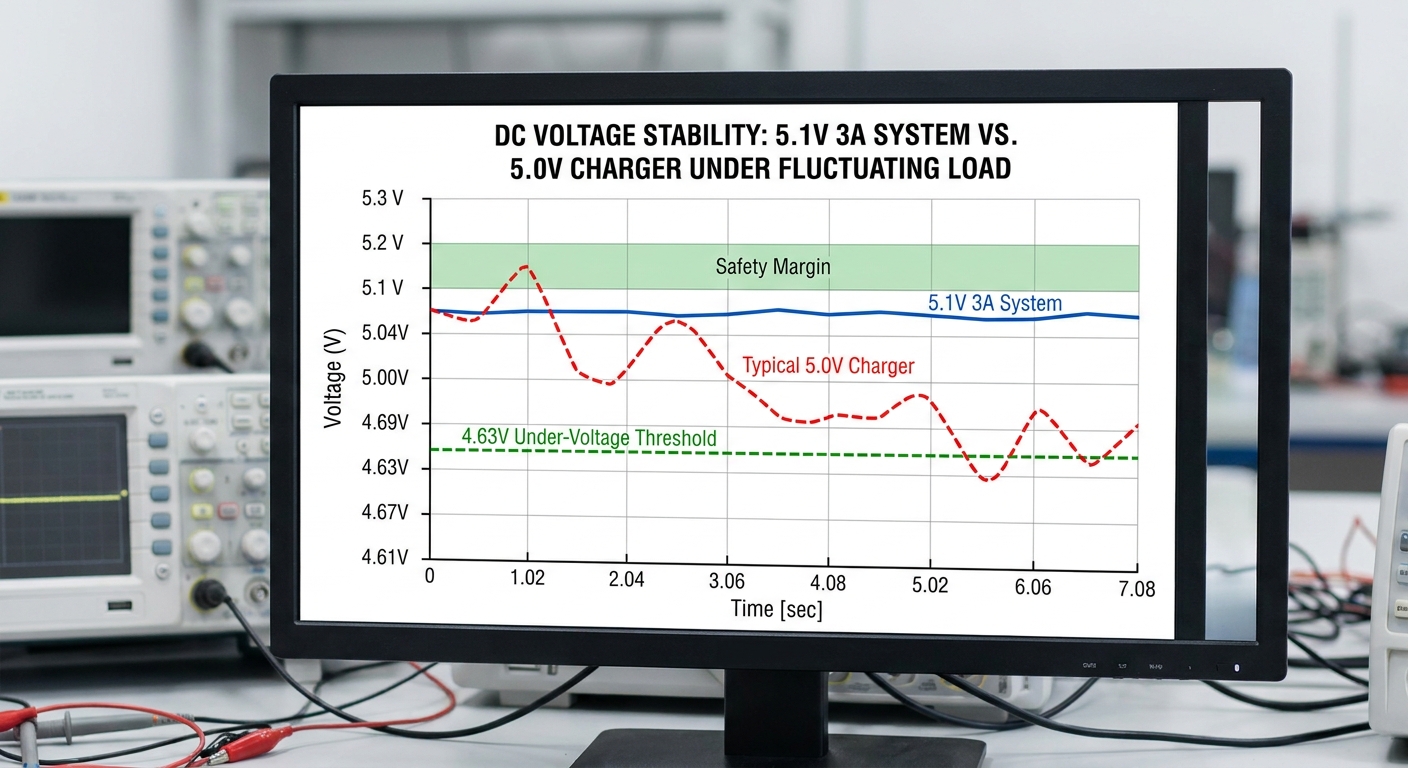
Yes, your power adapter for raspberry pi is only stable if it consistently maintains its target voltage under varying operational currents. Many standard power supplies fluctuate widely when the single-board computer shifts from idle to full processing loads. This instability directly triggers the board’s internal low-voltage detection mechanisms.
Maintaining a rock-solid electrical flow requires high-quality internal filtering capacitors and a finely tuned feedback loop. Without these components, minor power sags will degrade system uptime and cause sudden operational halts. Choosing a stable supply is the foundation of any reliable deployment.
What causes voltage sags under sudden load?
Let’s face it: sudden computational spikes demand instantaneous current surges that weak adapters cannot deliver. When you run demanding tasks, the board draws rapid bursts of power that can easily drop the line voltage of standard chargers.
- The board’s processor draws rapid bursts of power during heavy compiling.
- These sudden draw spikes pull down the output voltage of uncompensated chargers.
- Standard consumer adapters lack the rapid transient response needed for micro-computers.
When the voltage drops below critical thresholds, your system will instantly throttle its processor speed. You will experience noticeable performance lag and potential data bottlenecks.
How does high-quality cabling prevent drop?
Here is the deal: the physical wire connecting your power source to the board introduces natural electrical resistance that drops your delivered voltage. Selecting thicker, high-gauge power lines is the key to minimizing these transmission losses over distance.
- Thinner copper wires experience much higher voltage drops over short distances.
- Premium adapters use low-resistance 18 AWG copper to preserve signal integrity.
- Integrated cables offer significantly better current transmission than modular USB-C cords.
By using a thick, optimized power delivery line, you guarantee that the board receives the full 5.1V. This prevents any transmission loss from causing unexpected board resets during operation.
Key Takeaway: A stable power line requires both a high-quality internal regulator circuit and thick, low-resistance copper output cabling.
| Metric / Parameter | Premium Stable Supply | Generic Standard Charger | |
|---|---|---|---|
| Wire Gauge (AWG) | 18 AWG | 24 AWG | |
| Voltage Line Compensation | 5.1V | 5.0V | |
| Ripple & Noise | < 50mV | > 150mV |
Selecting a thicker 18 AWG cable prevents severe inline voltage drop and keeps your core voltage within the safe operational window.
Why choose a certified power adapter for raspberry pi?
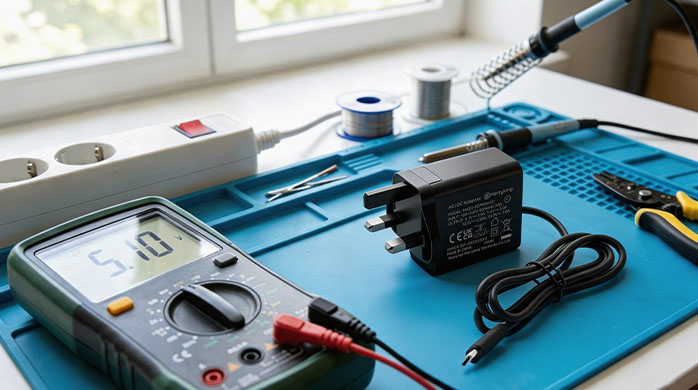
You must choose a certified power adapter for raspberry pi to guarantee compliance with global electrical safety and efficiency guidelines. Official certification marks indicate that the unit has undergone rigorous laboratory testing under extreme load conditions. These evaluations ensure that the supply will not overheat or cause electrical fires during long-term use.
Uncertified chargers often cut corners on internal components, using sub-standard insulation and lacking essential over-current safeguards. This places your expensive single-board hardware and commercial environments at massive risk. Certifications provide peace of mind and operational security.
What safety marks should you look for?
Here is the thing: international markets require specific safety seals before any electronic product can be legally distributed or deployed. You must verify these markings to ensure that your hardware complies with local commercial building safety regulations.
- UL and CE certifications ensure compliance with strict regional safety laws.
- FCC and RoHS marks guarantee low electromagnetic interference and lead-free construction.
- PSE and UKCA seals are mandatory for shipping to Asian and British markets.
When you deploy hardware internationally, sourcing pre-certified adapters saves you months of compliance testing. It ensures a smooth, worry-free product rollout for your enterprise customers.
How do certifications prevent liability?
Let’s face it: using uncertified power blocks exposes your business to severe product liability and potential lawsuits if a component fails. Certified units are built with premium materials designed to contain and suppress internal failures safely.
- Certified supplies contain flame-retardant housings to prevent thermal runaways.
- Internal fuses instantly isolate electrical faults before they can spread.
- These structural protections shield your brand from costly field failures.
Investing in certified equipment is the most effective way to manage operational risks in professional settings. You guarantee that your installations meet the highest commercial safety codes.
Key Takeaway: Certified adapters safeguard your business against compliance issues, structural fires, and catastrophic component failures.
| Safety Certification | Target Region | Core Engineering Value | |
|---|---|---|---|
| UL / ETL | North America | Verifies structural flame resistance and electrical isolation | |
| CE / UKCA | Europe / UK | Guarantees health, safety, and environmental compliance standards | |
| FCC | Global / USA | Limits high-frequency electromagnetic interference on data lines |
Utilizing dual-certified supplies ensures seamless international shipping and minimizes legal compliance liabilities.
How to specify your power adapter for raspberry pi?
To specify your power adapter for raspberry pi correctly, you must calculate the total cumulative wattage of your board and all connected peripherals. Different board generations have vastly different power requirements that dictate your choice of adapter. Sourcing a supply with sufficient current headroom prevents unexpected system throttles and brownouts.
You must also look at connector styles, environmental temperature ratings, and efficiency levels. A properly specified adapter ensures that your system operates within its optimal thermal and electrical boundaries. Let us break down the exact parameters needed for specification.
What are the exact current demands?
Here is the deal: different board models require distinct amperage levels to maintain their core bus operations and power connected peripherals. Sourcing an adapter that fails to meet these minimums will result in immediate processor throttling.
- Model 3 configurations run stably on a 2.5 Ampere supply.
- Model 4 setups demand a minimum of 3.0 Amperes.
- Model 5 units require up to 5.0 Amperes under heavy loads.
If you connect high-draw USB accessories like SSDs, your power consumption will increase significantly. You must ensure your power adapter can deliver this extra overhead continuously.
Why is nominal power headroom important?
Look: running any power adapter at its absolute maximum capacity causes it to run hot and degrade rapidly. Designing a safety buffer into your specification preserves the lifespan of both the power adapter and your single-board computer.
- A 15% current buffer keeps the internal components running much cooler.
- Headroom prevents voltage sags when external sensors are suddenly activated.
- Cooler operations extend the operational life of internal capacitors.
When you specify a generous headroom, you ensure that your system remains robust under extreme workloads. This is a critical consideration for 24/7 industrial automation deployments.
Key Takeaway: Specifying an adapter with a 15% to 20% current buffer prevents thermal degradation and keeps the voltage stable under peak loads.
| Board Generation | Nominal Voltage | Minimum Amperage | Recommended Wattage | |
|---|---|---|---|---|
| Raspberry Pi 3B+ | 5.1V | 2.5A | 12.75W | |
| Raspberry Pi 4B | 5.1V | 3.0A | 15.30W | |
| Raspberry Pi 5 | 5.1V | 5.0A | 27.00W (PD Enabled) |
Always verify if your board model requires USB-C Power Delivery (PD) to unlock its full peripheral current limits.
Does your power adapter for raspberry pi prevent crashes?
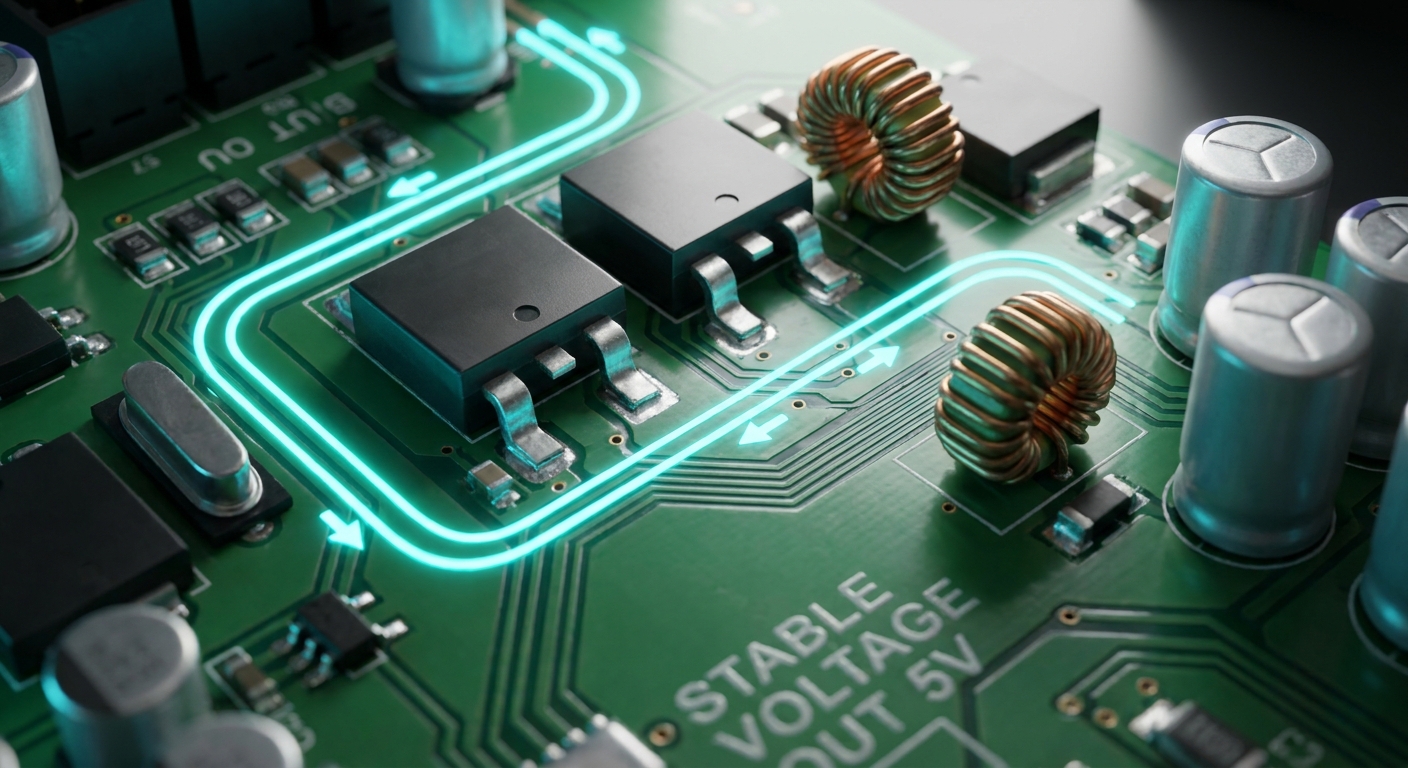
Yes, a premium power adapter for raspberry pi directly prevents system crashes by eliminating under-voltage events and power rail ripples. When your single-board computer executes complex tasks, its current consumption fluctuates rapidly. If your power supply cannot respond to these changes instantly, the voltage will sag, causing the system to freeze or reboot.
A robust power adapter acts as a protective shield for your operating system files. By keeping the voltage line flat and stable, it prevents sudden system halts that corrupt your storage media. Let us look at how this stability is maintained inside the adapter.
How does transient response stop reboots?
Here is the thing: transient response is the speed at which an adapter corrects its output voltage after a sudden change in current load. Premium adapters are engineered to detect these current shifts instantly and compensate without dropping the voltage line.
- High-end adapters respond to load changes in microseconds.
- Poor transient response causes massive voltage drops during sudden processing spikes.
- These sags trigger the board’s internal hardware reset line.
When you utilize a supply with rapid transient response, you eliminate these random power-cycle reboots entirely. Your system maintains continuous uptime even during heavy computational bursts.
Why does storage corruption happen on sags?
Let’s face it: writing data to a storage card requires a stable, uninterrupted electrical supply to complete the physical write cycle safely. If power dips while the operating system is updating critical files, the file allocation table will break.
- A sudden voltage sag interrupts the write operation halfway through.
- This incomplete write corrupts the filesystem partition table.
- The board becomes unbootable, requiring a complete OS reinstall.
By securing a stable voltage line, you protect your database entries and system configurations from unexpected corruption. This saves your field technicians hours of manual maintenance.
Key Takeaway: Excellent transient response is the primary feature that stops random system reboots and subsequent microSD card corruption.
| Feature / Response | High-Transient Power Supply | Low-Cost Standard Charger | |
|---|---|---|---|
| Transient Recovery Time | < 100 microseconds | > 1000 microseconds | |
| Voltage Deviation | < 3% under 50% load step | > 8% under 50% load step | |
| File System Protection | High (Preventive) | Low (Prone to corruption) |
Selecting power supplies with fast transient recovery guarantees operational continuity during rapid processor state transitions.
How does a high-end power adapter for raspberry pi perform?
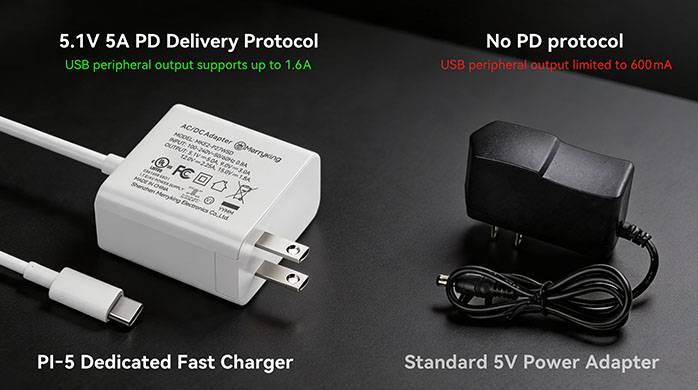
A high-end power adapter for raspberry pi performs exceptionally well by maintaining a tight 5.1V output with minimal electrical noise and thermal output. Premium adapters are engineered with high-frequency switching technology and synchronous rectification to maximize efficiency. This ensures that the conversion block remains cool during 24/7 continuous operations.
They are built with ruggedized housings and heavy copper cabling to withstand harsh industrial environments. High-end performance means your system can run at maximum clock speeds without any thermal throttling. Let us examine the internal design advantages that make this performance possible.
What is the role of active ripple filtering?
Here is the deal: electrical ripple is the residual AC voltage superimposed on the DC output line after rectification. High-end adapters integrate advanced filtering stages to smooth out this ripple before it reaches your sensitive components.
- High-end adapters utilize multi-stage LC filters to clean the DC line.
- This keeps output ripple well below 50 millivolts peak-to-peak.
- Low ripple prevents high-frequency noise from corrupting digital data buses.
When you minimize ripple, you ensure that your connected analog-to-digital sensors report highly accurate measurements. Your entire hardware assembly operates with maximum precision.
How does thermal efficiency affect longevity?
Look: excess heat is the primary enemy of electronic components, especially the electrolytic capacitors inside power adapters. High-efficiency designs reduce the amount of wasted energy dissipated as heat, preserving the internal circuitry.
- High-efficiency designs convert more wall power into usable DC energy.
- Less wasted energy means the adapter produces much less heat.
- Lower temperatures significantly extend the lifespan of internal circuits.
Sourcing highly efficient adapters keeps your operational costs low and minimizes hardware replacement rates. You build a more sustainable and reliable system architecture.
Key Takeaway: High-end performance relies on superior ripple filtering and high thermal efficiency to ensure long-term, noise-free system stability.
| Performance Variable | Premium High-End Adapter | Standard Consumer Adapter | |
|---|---|---|---|
| Output Ripple (Peak-to-Peak) | < 30mV | > 120mV | |
| Conversion Efficiency | > 88% (Level VI) | < 75% | |
| Operating Temperature | 35°C under continuous load | 55°C under continuous load |
Investing in Level VI efficiency adapters reduces standby power consumption and prevents thermal component degradation over time.
Can a cheap power adapter for raspberry pi damage your board?

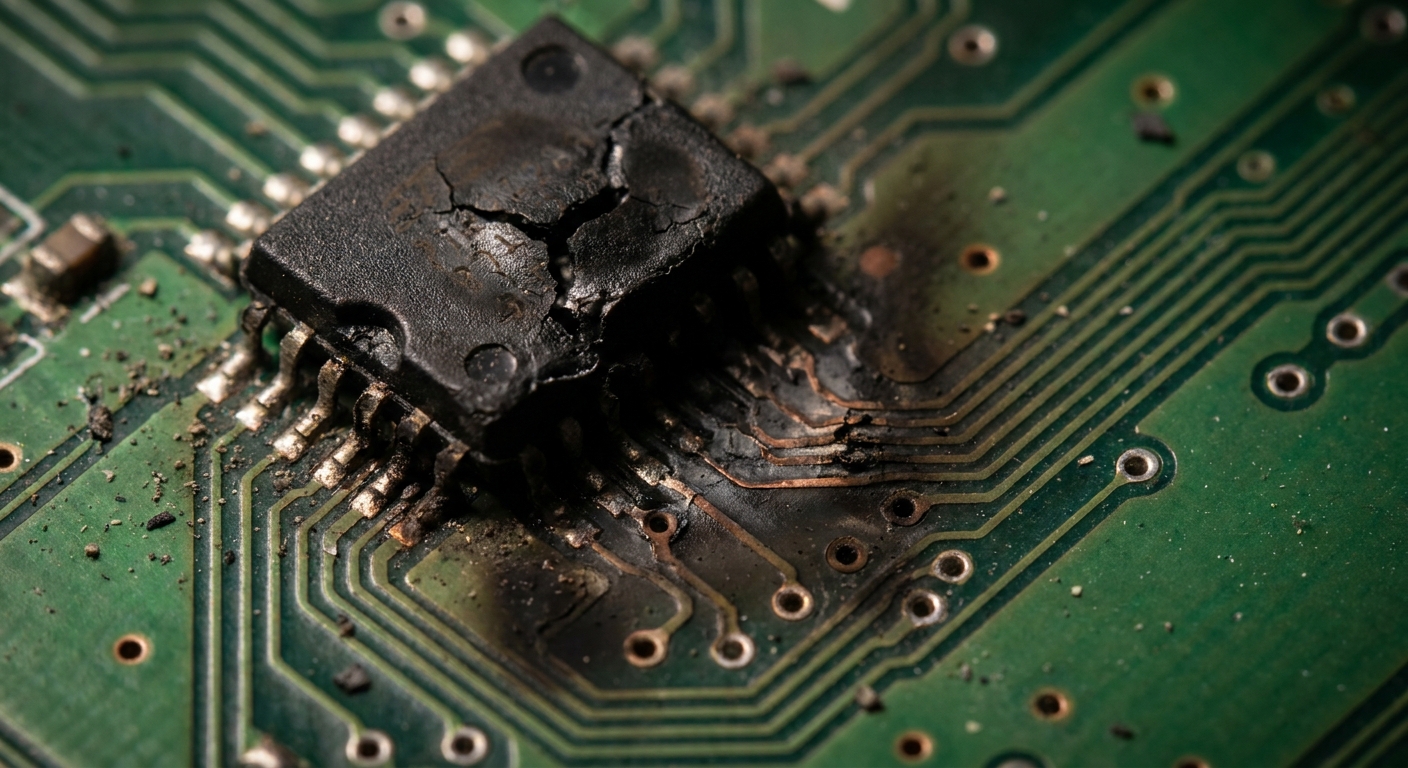
Yes, a cheap power adapter for raspberry pi can permanently damage your single-board computer by delivering dangerous over-voltage spikes or failing to isolate mains voltage. Low-cost chargers are constructed with poor insulation barriers between the high-voltage AC input and low-voltage DC output. A physical breakdown in this barrier will instantly send 110V or 220V AC directly to your board, frying it completely.
They also lack dedicated surge protection and over-voltage clamp circuits, leaving your hardware vulnerable to power grid fluctuations. Using these substandard chargers is a dangerous gamble for any valuable hardware configuration. Let us detail the specific hardware failures that result from cheap power sources.
How do over-voltage spikes fry silicon?
Here is the thing: the integrated circuit chips on micro-computers are fabricated with microscopic silicon features that can only tolerate low voltages. Sparing a few dollars on a cheap charger risks exposing these fragile gates to destructive over-voltage conditions.
- Spikes over 5.5V will puncture the gate oxides of the core chips.
- This creates permanent internal short circuits inside the silicon die.
- The board’s power management controller will immediately burn out.
When you use a supply that lacks surge clamps, a simple lightning strike nearby can destroy your entire installation. You must protect your silicon with certified over-voltage protection.
What is the risk of mains isolation failure?
Let’s face it: cheap chargers save money by reducing the physical spacing and insulation thickness inside the transformer. This optimization compromises the galvanic isolation necessary to keep dangerous high-voltage lines separated from your low-voltage workspace.
- Moisture or physical impact can bridge this thin insulation gap.
- High-voltage mains current will leak directly into the USB-C cable.
- This presents an immediate, severe shock hazard to anyone touching the board.
Sourcing double-insulated, certified power adapters is the only way to eliminate this catastrophic shock risk. You protect your employees, customers, and physical assets from severe harm.
Key Takeaway: Cheap adapters lack the physical isolation and over-voltage clamping circuits needed to prevent permanent silicon damage and user shocks.
| Protection Mechanism | Industrial-Grade Adapter | Cheap Generic Charger | |
|---|---|---|---|
| Over-Voltage Protection (OVP) | Hardware clamp at 5.5V | None (Voltage climbs unchecked) | |
| Mains Isolation | Double Insulated (3000V RMS) | Basic Insulated (< 1000V) | |
| Flame Retardant Rating | UL94 V-0 Rated | Non-rated cheap plastic |
Sourcing adapters with double insulation (Class II) ensures physical safety and complies with international consumer safety codes.
Is your power adapter for raspberry pi ready for heavy loads?
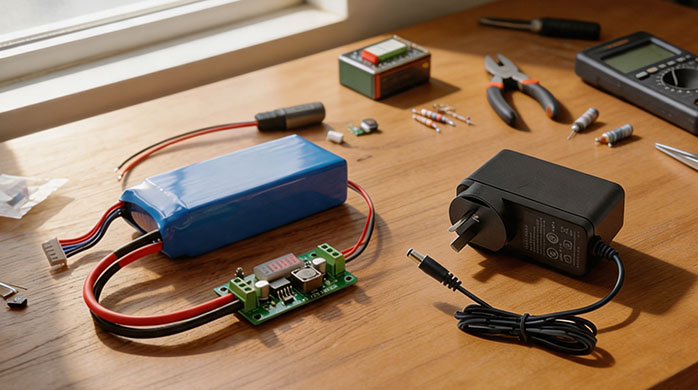
Your power adapter for raspberry pi is only ready for heavy loads if it can deliver its maximum rated current continuously without experiencing voltage drops or thermal shutdowns. Running intensive applications like edge AI processing, multi-camera tracking, or continuous data compiling places massive electrical strain on your power supply. Many standard adapters will overheat and fail within hours under these constant, heavy loads.
Heavy workloads require a power supply engineered with high-grade magnetic components and premium switching transistors. This technical optimization ensures that the adapter can sustain full power output indefinitely. Let us analyze how to prepare your power system for maximum processing loads.
What happens during edge AI execution?
Here is the deal: running complex machine learning models on single-board computers pushes the CPU and GPU to their thermal and electrical limits. These sudden computational sweeps cause the system’s current consumption to surge dramatically in milliseconds.
- The processing units draw massive currents to compute mathematical tensors.
- This creates rapid load fluctuations that can destabilize standard power lines.
- Stable power is critical to prevent the system from dropping frames or crashing mid-model.
When you deploy edge AI systems, your power solution must be as robust as your software. This guarantees consistent, real-time inferencing speeds in critical commercial environments.
How do multiple USB peripherals stress supplies?
Look: plugging in high-speed external SSDs, LTE modems, or multiple cameras increases the board’s total current draw significantly. If your power supply is already operating near its limit, these additional peripheral loads will pull the voltage down.
- Each USB port can draw up to 1.2 Amperes of current.
- This peripheral power draw adds directly to the core CPU consumption.
- The total current draw can quickly exceed the limits of a standard 2.5A charger.
You must use a high-capacity 3.0A or 5.0A adapter to power these multi-device setups safely. This prevents your connected accessories from disconnecting due to power starvation.
Key Takeaway: Heavy computational and peripheral loads require high-capacity adapters with robust thermal designs to maintain system stability.
| Operational Load State | Typical Core Current | USB Peripheral Current | Total Recommended Power | |
|---|---|---|---|---|
| Idle / Basic OS | 0.8A to 1.2A | < 0.2A | 5W to 7W | |
| Full CPU Compiling | 2.2A to 2.8A | < 0.5A | 12W to 15W | |
| Edge AI + External SSD | 3.5A to 4.5A | 1.0A to 1.5A | 25W to 27W (USB-C PD) |
Utilizing USB-C Power Delivery on modern boards unlocks the full 1.6A current limit for external high-draw USB peripherals.
Why does your power adapter for raspberry pi need safe voltage?
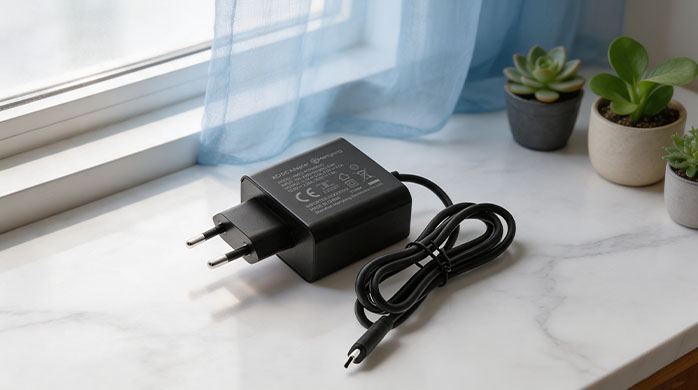
Your power adapter for raspberry pi needs safe voltage because micro-computers lack wide-range internal input voltage regulators to handle unexpected spikes. The board’s components are designed to operate strictly within a very narrow window around 5.0V to 5.15V. Any input voltage that rises above 5.25V can instantly damage the board’s sensitive silicon, while anything below 4.63V triggers system instability.
Safe, regulated voltage prevents hardware wear and guarantees that your communication buses operate without data errors. It is the single most important parameter for ensuring long-term hardware reliability in the field. Let us analyze why this voltage window is so narrow.
What are the precise silicon tolerances?
Here is the thing: the main processor and memory chips operate on low internal voltages generated by the onboard PMIC (Power Management IC). If your input voltage wanders outside of standard tolerances, this critical chip will fail.
- The onboard PMIC is highly sensitive to input voltage fluctuations.
- Voltages exceeding 5.25V cause the PMIC to overheat and degrade rapidly.
- Voltages below 4.63V prevent the PMIC from maintaining stable internal core rails.
When you supply a steady, safe voltage, you keep the PMIC operating within its peak efficiency zone. This prevents any hardware degradation and extends the lifespan of your board.
How does safe voltage improve signal data?
Let’s face it: high-speed data buses like HDMI, SPI, and USB rely on precise, stable reference voltages to transmit digital signals accurately. If your input line is plagued by electrical noise, those fluctuations will bleed into your data channels.
- Power rail noise can distort these delicate digital voltage signals.
- This distortion leads to transmission errors and lost data packets.
- Stable power prevents communication lines from picking up erratic noise.
By using a highly regulated, safe voltage source, you guarantee clean, error-free communication across all internal and external buses. This is critical for high-resolution displays and sensor arrays.
Key Takeaway: A tight, regulated voltage window protects the PMIC from overheating and ensures clean, error-free communication across high-speed data lines.
| Parameter Range | Voltage Level | System Impact / Behavior | |
|---|---|---|---|
| Destructive Over-Voltage | > 5.50V | PMIC burns out, permanent board failure | |
| Safe Operational Window | 5.00V to 5.25V | Optimal clock speeds, stable peripheral buses | |
| Unstable Under-Voltage | < 4.63V | Red LED blinks, CPU throttles, SD card corrupts |
Standardizing on a regulated 5.1V supply provides the perfect safety buffer against both under-voltage sags and over-voltage peaks.
How to test if your power adapter for raspberry pi is failing?
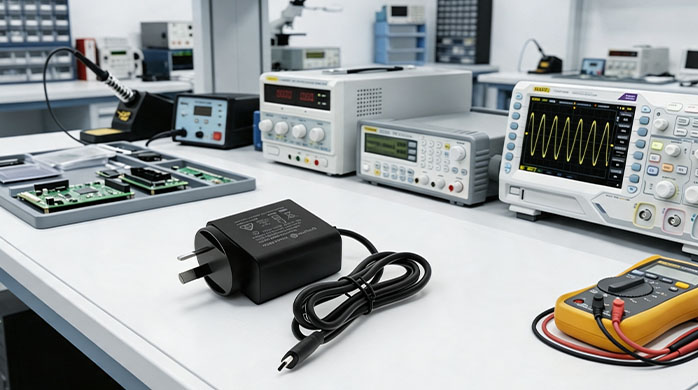
You can test if your power adapter for raspberry pi is failing by measuring its voltage output under full operational load using a digital multimeter or USB inline tester. A failing adapter will output its rated voltage when idle, but will drop significantly when the board’s processor executes intensive tasks. This voltage sag is a clear sign that the internal capacitors have degraded and can no longer store sufficient energy.
You must also look for physical indicators like excessive adapter heat, high-frequency buzzing sounds, or frequent under-voltage warning icons on your system display. Monitoring these signs prevents you from experiencing unexpected system crashes and file corruption in production. Let us walk through the step-by-step diagnostic procedures.
How to use a multimeter to measure drop?
Here is the deal: testing your power line with a digital multimeter allows you to capture precise, real-world voltage levels directly on the board’s power rail. Monitoring the voltage under peak computational load reveals the true health of your supply.
- Connect your multimeter probes to the 5V and GND pins on the GPIO header.
- Measure the voltage while the board is booting or running a stress test.
- Any reading below 4.75V indicates a failing or inadequate power adapter.
If the voltage drops significantly during CPU-heavy tasks, your adapter is failing to handle the current load. You must replace it with a high-quality, certified alternative immediately.
What are the software diagnostic logs?
Look: the operating system continuously monitors the input voltage and writes diagnostic warnings directly to the system log files. Checking these system messages remotely allows you to assess power stability across thousands of active field installations.
- The command
dmesgwill show explicit under-voltage warnings if they occur.
- The system log records the exact times the CPU was throttled due to power.
- Checking these logs is the fastest way to diagnose power issues remotely.
When you analyze these software logs, you can catch failing power supplies before they cause critical system corruption. This proactive monitoring is essential for remote B2B hardware deployments.
Key Takeaway: Combining physical multimeter measurements with software log diagnostics is the most reliable way to catch failing power adapters.
| Diagnostic Method | Reading / Indicator | Operational Diagnostic Conclusion | |
|---|---|---|---|
| Multimeter (GPIO Pins) | < 4.75V under load | High cable resistance or failing internal regulator | |
System Log ( dmesg ) | “Under-voltage detected” | Immediate power supply upgrade required | |
| Physical Casing inspection | > 65°C or high buzzing noise | Internal capacitor degradation, fire hazard risk |
Periodically inspecting remote system logs allows you to schedule preventative maintenance before hardware fails.
Where to source a bulk power adapter for raspberry pi?
You should source a bulk power adapter for raspberry pi directly from a certified OEM manufacturer to ensure maximum quality control, custom specifications, and competitive wholesale pricing. Buying from retail channels or untrusted online marketplaces introduces severe risks of receiving counterfeit, uncertified products that compromise system safety. A direct manufacturing partner provides complete transparency over components, safety compliance, and custom cable configurations.
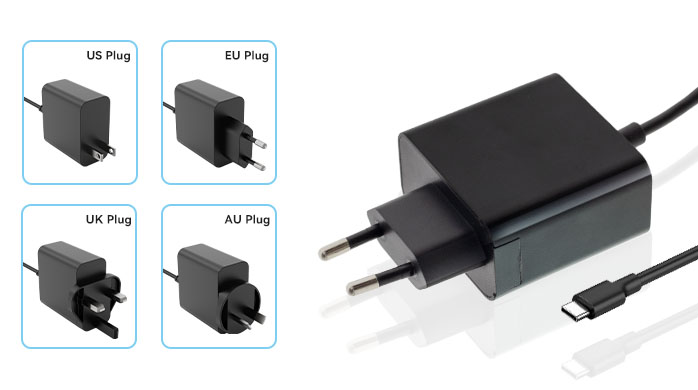
Partnering with a dedicated manufacturer allows you to secure custom branding, specific cord lengths, and localized plug configurations for international distribution. This ensures that your entire hardware product line is powered by a reliable, professional-grade solution. Let us explore the benefits of direct-source sourcing.
Why buy directly from an OEM manufacturer?
Here is the thing: sourcing directly from an OEM factory gives you complete control over the bill of materials and production quality. This relationship ensures that your custom requirements are translated directly into a highly optimized power product.
- You can specify premium Japanese capacitors for extended operating life.
- Direct sourcing eliminates middleman markups, lowering your unit costs.
- You receive comprehensive engineering support during system integration.
This direct collaboration ensures that your custom power supplies meet your exact technical and financial requirements. You build a strong, scalable foundation for your hardware business.
How do wholesale partnerships guarantee supply?
Let’s face it: supply chain disruptions can halt your production lines and delay critical project deliveries for months. Sourcing through structured wholesale agreements guarantees a steady, predictable flow of power solutions for your business.
- A direct wholesale partnership guarantees a stable, predictable supply of power components.
- Dedicated factories offer scalable production capacities to match your sales growth.
- Custom packaging and pre-shipment quality testing are integrated into the contract.
When you secure a reliable manufacturing partner, you protect your supply chain from unexpected international market fluctuations. You ensure that your business remains competitive and highly responsive to customer demands.
Key Takeaway: Sourcing directly from an OEM manufacturer guarantees maximum component quality, lower unit costs, and long-term supply chain security.
| Procurement Channel | Quality Control | Unit Cost (Bulk) | Engineering & Customization | |
|---|---|---|---|---|
| OEM Direct Manufacturer | 100% Factory Tested | Lowest (Wholesale) | Fully customizable (Logo, Cable, Voltage) | |
| Online Retail Marketplaces | Unverified / Inconsistent | High (Retail Markups) | None (Standard stock only) | |
| Local Electronic Distributors | Basic Verification | Medium | Very limited options |
Sourcing directly from a certified manufacturer is the most cost-effective and secure strategy for scaling B2B hardware products.
Frequently Asked Questions
Can I use a standard mobile charger to power a Raspberry Pi?
No, this is highly discouraged for stable performance. Standard phone chargers are designed to charge batteries and often fluctuate in voltage under heavy processor loads. They lack the compensated 5.1V output needed to prevent under-voltage sags and system reboots.
What’s the best way to prevent microSD card corruption on my board?
Always use a high-quality, certified power adapter with rapid transient response. Keeping the voltage consistently above 4.63V prevents the system from abruptly halting during critical write cycles. This ensures your filesystem partition table remains intact and uncorrupted.
How do I know if my power adapter for raspberry pi is causing under-voltage sags?
Look for a red blinking LED or a lightning warning icon on your screen. The operating system will trigger visible warnings and write “Under-voltage detected” to the system log ( dmesg ) whenever the power level sags. Measuring the GPIO pins under load with a multimeter will confirm this.
Can I customize the cable length and logo branding on a bulk order?
Yes, direct OEM customization allows complete flexibility over physical parameters. Partnering directly with a manufacturer lets you laser-etch your company logo, adjust cable lengths, and select specific international plugs. This ensures your bulk adapters fit your system’s exact specifications perfectly.
Can I power the board safely using the onboard GPIO pins?
No, this bypasses the board’s built-in safety circuitry and is highly risky. Powering directly through the GPIO 5V pins removes the protection offered by the onboard TVS diode and fuses. Any minor voltage surge or incorrect wiring polarity will instantly fry the core processor.
Secure Your System Stability
Troubleshooting mysterious system crashes, corrupted operating system cards, and erratic sensor behaviors in production is exhausting and drains engineering resources. When your single-board hardware relies on weak, uncompensated chargers, under-voltage sags are inevitable. Our high-grade, certified power adapters are specifically engineered to deliver a compensated 5.1V supply, keeping your processors running at full capacity around the clock.
Ensure your hardware projects operate with absolute reliability. contact us today to configure your custom OEM power adapters.