An AC power adapter for a laptop is an external hardware component that converts high-voltage alternating current (AC) from a wall outlet into the low-voltage direct current (DC) required to power the computer and charge its internal battery. Every hardware procurement manager knows the frustration of dealing with sudden laptop fleet failures, battery degradation, and hardware downtime. Sourcing cheap, uncertified charging accessories might save money upfront, but it risks devastating system failures, fried motherboards, and lost productivity across your entire organization. To safeguard your enterprise hardware investments, choosing a high-performance AC power adapter for laptop fleets is the most secure decision you can make to guarantee long-term stability and optimal power delivery.
What Is an AC Power Adapter for Laptop Devices?
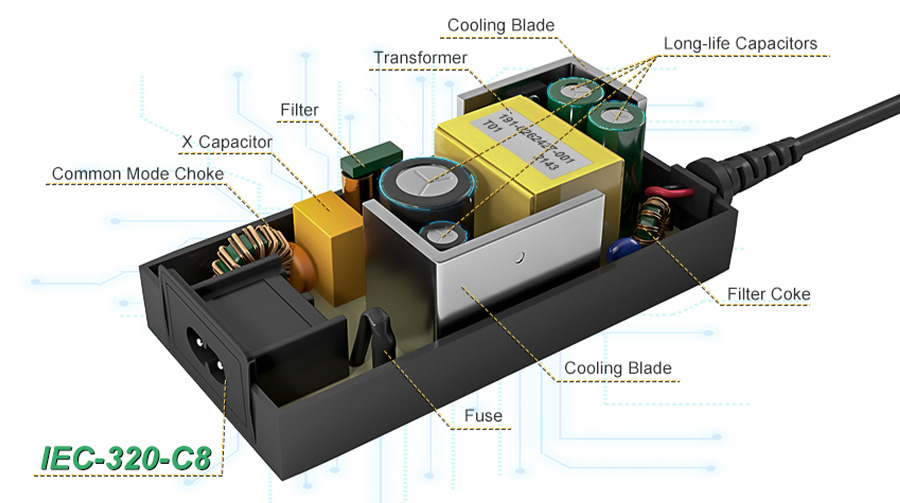
An AC power adapter for laptop devices acts as an essential external power supply unit (PSU) that bridges the high-voltage municipal power grid with your computer’s sensitive low-voltage microchips. By moving the bulky and heat-generating electrical conversion components outside the computer chassis, manufacturers can build thinner, lighter, and cooler laptops. Sourcing high-quality units ensures you benefit from clean electrical currents and reliable hardware operation.
When you evaluate a premium AC power adapter for laptop systems, you must consider how these external blocks regulate raw power. Let’s look closer at how this hardware operates.
How Does the Adapter Bridge the Grid to Your Device?
Think about the electrical current coming out of your office wall outlet. It is high-voltage alternating current, typically fluctuating between 110V and 240V, which would instantly fry any sensitive microchip it touches.
Your laptop AC adapter works by safely capturing this raw high-voltage current. It then filters, converts, and regulates the electrical flow into a smooth, steady stream of low-voltage direct current.
Here is the deal:
- High-Voltage Intake: Safely handles fluctuating grid inputs between 100V and 240V.
- Waveform Rectification: Switches alternating waveforms into a steady, single-direction flow.
- Voltage Step-Down: Safely drops hundreds of volts down to a manageable 19V or 20V.
Why Must the Power Supply Remain External?
Keeping the power conversion process external is a strategic design choice made by hardware engineers. If the transformation circuitry were built inside your laptop, the heat generated during power conversion would degrade internal parts.
This external design also protects you from high-voltage hazards. If a catastrophic electrical failure occurs, the surge is isolated inside the external laptop power adapter brick, saving your computer and your data.
Think about it:
- Thermal Isolation: Prevents up to 45°C of conversion heat from reaching the laptop CPU.
- Slimmer Devices: Relocates bulky transformer coils out of the portable chassis.
- Easier Maintenance: Allows you to replace a damaged charger without repairing the computer.
Key Takeaway: Relocating the power transformation hardware to an external power brick is crucial for keeping your laptop thin, thermally efficient, and protected from sudden power grid spikes.
The table below details how premium external adapters protect laptop motherboards compared to low-tier alternatives.
| Parameter | Premium Laptop AC Adapter | Low-Tier Generic Adapter | Impact on Hardware | |
|---|---|---|---|---|
| Voltage Ripple | < 50mV peak-to-peak | > 150mV peak-to-peak | Low ripple protects motherboard VRM life. | |
| EMI Shielding | Full copper Faraday cage | Minimal aluminum foil | Prevents signal interference in nearby devices. | |
| Enclosure Material | Fire-retardant PC/ABS (UL94-V0) | Unrated recycled plastics | High-grade materials prevent fire hazards. |
This data demonstrates why high-grade materials are vital for reducing voltage noise and ensuring continuous system safety.
Why Does Every Laptop Need an AC Power Adapter for Laptop Charging?

Every portable computer requires a specialized AC power adapter for laptop charging because clean, low-voltage direct current is the only power source that safely operates silicon processors. Modern microprocessors contain billions of microscopic transistors that switch state at incredible speeds. Sourcing stable power from a premier AC power adapter for laptop devices is critical to ensure these delicate gates never face voltage spikes.
A dependable charger does more than run your operating system. It also regulates the safe replenishment of your lithium-ion battery cells.
Why Do Silicon Microchips Demand Steady Direct Current?
Silicon chips are designed to detect microscopic voltage differences as binary code. If alternating current were supplied directly, the rapid changes in electrical direction would instantly destroy the delicate oxide layers in the processor.
Your laptop power adapter keeps the current moving in a single, predictable direction. This clean DC power allows the system’s motherboard regulators to distribute precise power to the CPU, RAM, and SSD.
But that is not all:
- Transistor Protection: Keeps voltage stable so microscopic gates don’t burn out.
- Signal Integrity: Eliminates line noise that can cause memory errors or system crashes.
- Thermal Control: Prevents excessive heat buildup inside internal voltage regulators.
How Does the Adapter Protect Your Lithium Battery?
Charging a modern lithium-ion battery requires incredibly precise voltage and current coordination. If the incoming power fluctuates even slightly, it can trigger accelerated chemical degradation or dangerous thermal runaway inside the battery.
A high-quality charging brick provides a stable electrical foundation. It allows the internal charging circuits to transition smoothly from Constant Current to Constant Voltage mode without stress.
Think about it this way:
- Dendrite Prevention: Low voltage ripple prevents dangerous microscopic metal build-up in cells.
- Capacity Retention: Stable charging cycles preserve battery runtime over hundreds of cycles.
- Thermal Safety: Minimizes energy loss during charging to keep the battery cool.
Key Takeaway: Regulated direct current is absolutely essential to prevent your laptop’s delicate silicon processors from burning out and to protect internal battery cells from rapid decay.
Review the distinct electrical environments of the grid versus internal laptop electronics below.
| Electrical Attribute | AC Utility Power Grid | DC Laptop Battery Charging | Adapter Role | |
|---|---|---|---|---|
| Typical Voltage | 100V – 240V (Variable) | 5V – 20V (Highly Constant) | Steps down and regulates voltage. | |
| Current Direction | Alternates direction (50/60Hz) | Unidirectional (Steady Flow) | Rectifies waveform to single direction. | |
| System Vulnerability | Subject to spikes, brownouts | Highly sensitive to spikes | Acts as primary sacrificial surge barrier. |
This comparison highlights why direct connection to wall outlets is impossible without precise intermediary transformation.
How Does an AC Power Adapter for Laptop Convert Power?
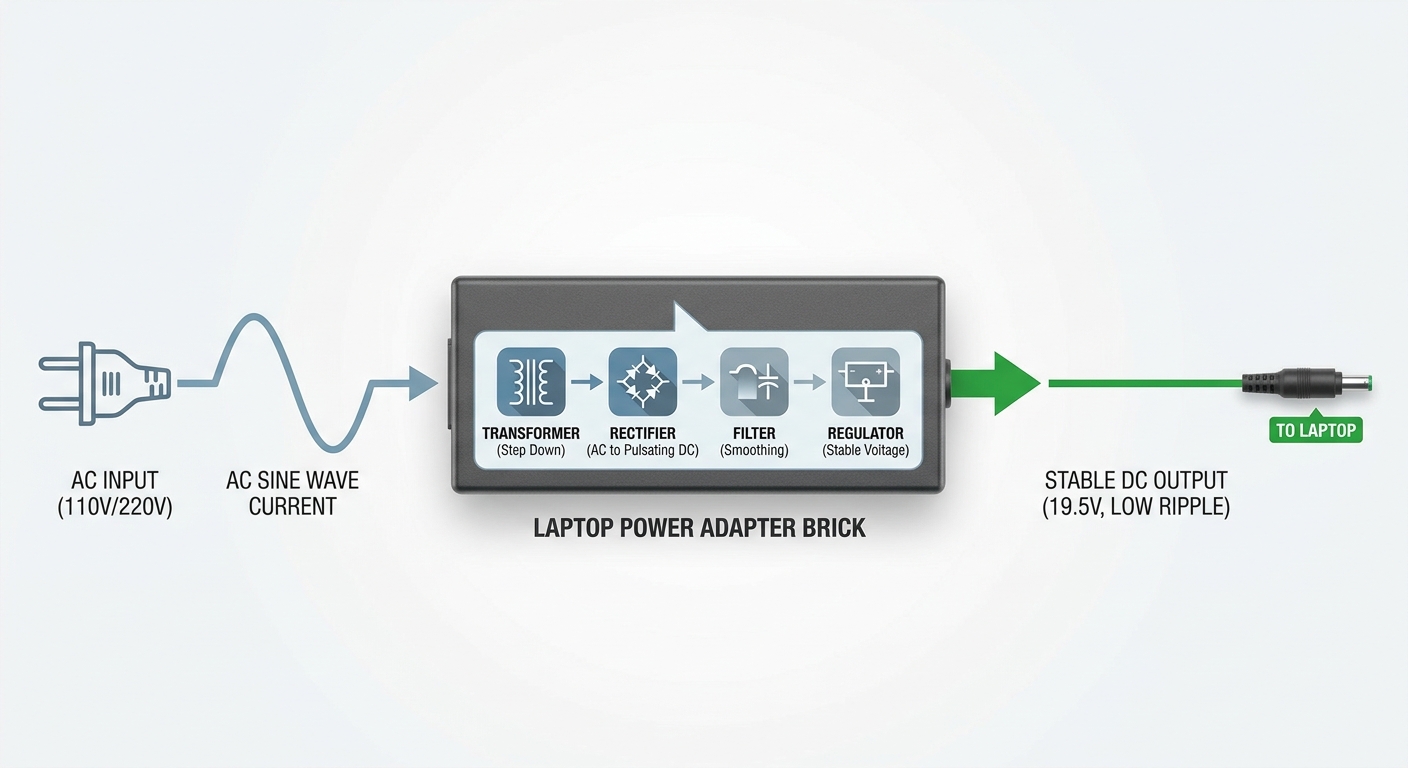
An AC power adapter for laptop devices converts electrical current through a multi-stage process of filtration, high-frequency switching, stepping down, and final smoothing. Modern power conversion is highly efficient thanks to Switched-Mode Power Supply (SMPS) technology. Sourcing an advanced charging unit ensures you benefit from compact, cool-running power blocks.
This conversion process is divided into separate, highly monitored electrical stages. Let’s examine how the raw electricity is transformed.
How Does High-Frequency Switching Save Energy?
Old-style linear power supplies were heavy because they relied on large copper transformers operating at low grid frequencies. Modern chargers solve this problem by using advanced silicon switches to turn incoming power on and off up to one million times per second.
This rapid switching lets the system use a much smaller transformer core to transfer energy. This innovation keeps your AC DC adapter for laptop lightweight and small enough to fit easily in a travel bag.
Here is the breakdown:
- High Efficiency: Reduces standby energy waste and lowers active power consumption.
- Compact Footprint: Replaces heavy copper coils with miniature high-frequency components.
- Dynamic Response: Instantly adjusts power output as your laptop’s workload changes.
How Does the Rectifier Clean Up Raw Electricity?
Alternating current switches direction constantly, making it completely incompatible with your laptop. A bridge rectifier made of high-speed diodes forces the current to flow in only one direction, creating a rough, pulsing DC signal.
Large output capacitors then act as reservoirs, storing energy and releasing it smoothly to eliminate electrical noise. This clean, low-ripple direct current is then safely routed to your device’s charging port.
Why is this important?
- Ripple Elimination: Smooths out voltage pulses to protect delicate electronic circuits.
- EMI Reduction: Traps high-frequency noise so it doesn’t disrupt nearby wireless signals.
- Line Regulation: Maintains stable output even when the wall voltage drops or surges.
Key Takeaway: Switched-mode power supplies use high-frequency switching and multi-stage filtering to deliver exceptionally efficient and stable DC power from a compact, lightweight adapter.
Compare the differences in conversion efficiency, heat generation, and size between SMPS and linear topologies below.
| Feature | Switched-Mode Power Supply (SMPS) | Old-School Linear Power Supply | Impact on Enterprise Deployment | |
|---|---|---|---|---|
| Conversion Efficiency | 85% – 94% (High Efficiency) | 30% – 50% (High Energy Waste) | SMPS reduces energy costs and heat. | |
| Physical Footprint | Compact, lightweight, portable | Bulky, heavy copper core | SMPS lowers shipping costs and boosts portability. | |
| Heat Loss | Very low (minimal heat generation) | High (dissipated as wasted heat) | SMPS lowers component stress and extends lifespans. |
This technical comparison explains why modern electronic design relies exclusively on SMPS conversion.
What Specifications Should an AC Power Adapter for Laptop Include?
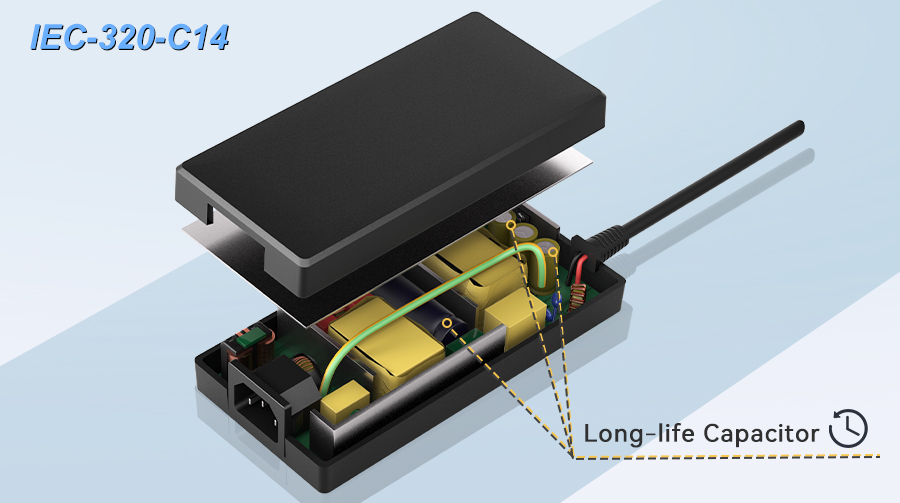
An AC power adapter for laptop devices must specify its precise electrical capabilities on a permanent regulatory label, including input voltage, frequency, output voltage, and maximum output current. When you coordinate procurement, verifying that your chosen AC power adapter for laptop models support global voltages is essential. A truly versatile power block must handle varying electrical grids around the world without requiring external voltage transformers.
These ratings must match your hardware’s requirements exactly to guarantee safe operation. Let’s look at the key specifications you need to verify.
What Does Universal Grid Input Sourcing Mean?
Electric grids around the world operate on different voltages and frequencies. North America typically uses 110V/60Hz, while Europe and Asia standardise on 230V/50Hz.
A high-quality universal laptop power adapter features auto-sensing circuitry that adapts to any local power supply. This global compatibility ensures your business travelers can plug in safely anywhere without risking damage to their chargers.
Here is the deal:
- Wide Input Range: Handles anything from 100V to 240V AC automatically.
- Frequency Tolerance: Operates flawlessly at both 50Hz and 60Hz.
- Active PFC: Improves power factor efficiency to meet strict global energy regulations.
How Do You Read Volts, Amps, and Watts?
Output voltage measures the electrical pressure delivered, while output amperage indicates the electrical current flow available to your device. Multiplying these two numbers gives you the total wattage, which is the overall power output of the charger.
Using a charger with incorrect voltage can ruin your laptop, but current is drawn as needed, meaning a higher-amperage charger is safe to use. You must always match the voltage exactly while meeting or exceeding the required amperage.
Keep this in mind:
- Voltage (V): Must match your laptop’s required input voltage exactly.
- Amperage (A): Must be equal to or greater than the laptop’s original rating.
- Wattage (W): Represents the maximum total power delivery capacity of your adapter.
Key Takeaway: Always verify that your power supply supports universal 100V-240V inputs, and confirm the output voltage matches your laptop’s requirements exactly to prevent hardware damage.
This reference table outlines standard corporate laptop power profiles and their typical use cases.
| Device Profile | Voltage (V) | Current (A) | Output Wattage | Target Use Case | |
|---|---|---|---|---|---|
| Ultra-Portables / Chromebooks | 15.0V – 20.0V | 2.25A | 45W | Lightweight business notebooks | |
| Standard Enterprise Laptops | 19.5V – 20.0V | 3.25A | 65W | Mainstream corporate fleets | |
| Performance Workstations | 19.5V – 20.0V | 4.5A – 6.7A | 90W – 135W | Developer, designer, and 3D modeling systems |
Selecting the correct profile prevents system throttling and ensures your battery charges at the intended speed.
How Do Voltage and Current Affect an AC Power Adapter for Laptop?
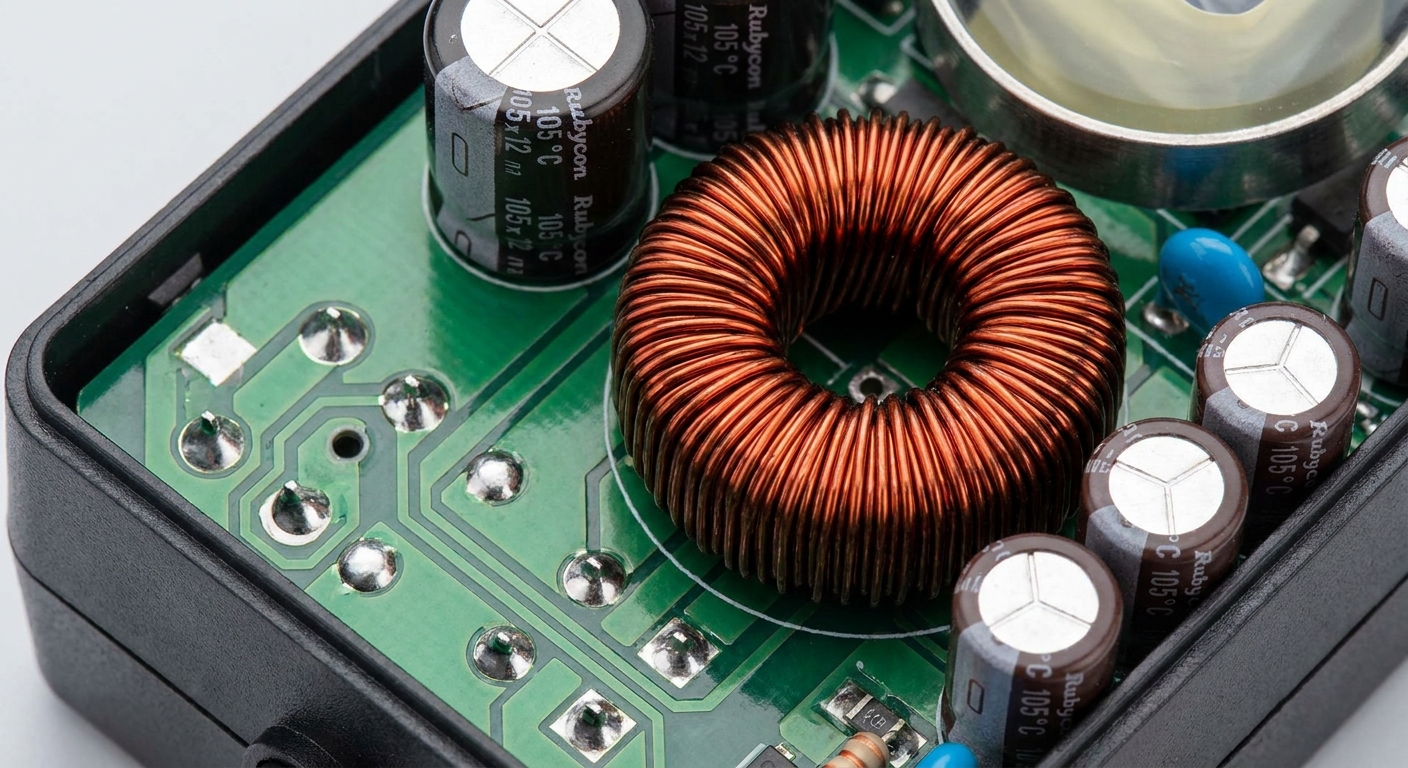
Voltage and current dynamically dictate how an AC power adapter for laptop devices delivers electrical energy without overheating or damaging delicate internal circuits. Using an incorrect voltage setting when choosing a charging fleet can trigger immediate, permanent damage to internal motherboards. While voltage is pushed by the charger, current is pulled by the computer’s motherboard power management system.
Understanding this electrical relationship is key to preventing system failures and ensuring stable operations. Let’s look at what happens when these parameters are mismatched.
What Happens When You Supply Too Much Voltage?
Think of voltage as water pressure in a pipe. If the pressure is too high, the pipe will burst; similarly, excessive voltage will overwhelm the protective capacitors and diodes on your laptop’s motherboard.
This electrical overload can burn out internal power regulation circuits in seconds. To prevent this, always choose a high-quality replacement laptop power adapter that matches your laptop’s voltage rating exactly.
That is not all:
- Component Overload: Destroys sensitive micro-capacitors and power management chips.
- Fire Hazards: Generates extreme heat that can melt connectors or internal circuits.
- Instant Failure: Can cause immediate, permanent damage to the computer’s motherboard.
Why Is Running Under-Amperage Dangerous?
If you connect a charger with an amperage rating that is too low, the laptop will try to pull more power than the charger can safely deliver. This causes the adapter to work too hard, generating excessive heat as it struggles to meet the demand.
A cheap charger without built-in safety features can overheat quickly, risking case deformation or complete component failure. High-quality power supplies include safety circuits that shut down the unit automatically before damage occurs.
Think about it:
- Thermal Overload: Causes the power brick to run dangerously hot under heavy workloads.
- Slow Charging: Leads to sluggish battery charging and reduced processor performance.
- Frequent Shutdowns: Triggers built-in safety switches, causing sudden power loss.
Key Takeaway: Sourcing chargers that match your laptop’s required voltage exactly is critical, while choosing a higher amperage rating is safe and can help the adapter run cooler.
This table summarizes electrical mismatch scenarios and their consequences for hardware.
| Scenario | Electrical Mismatch | Immediate Result | Long-Term Hardware Impact | |
|---|---|---|---|---|
| High Voltage | e.g., 20V adapter into 12V laptop | Overheated buck converters | Instant component damage or fire hazard. | |
| Low Voltage | e.g., 12V adapter into 20V laptop | Charge failure, CPU throttling | Excessive stress on battery charging circuits. | |
| Low Amperage | e.g., 2.25A adapter into 4.5A laptop | Thermal overload of adapter | Shortened adapter lifespan, frequent shutdowns. |
This breakdown clearly highlights why voltage compatibility cannot be compromised under any circumstances.
What Connector Types Are Used in an AC Power Adapter for Laptop?
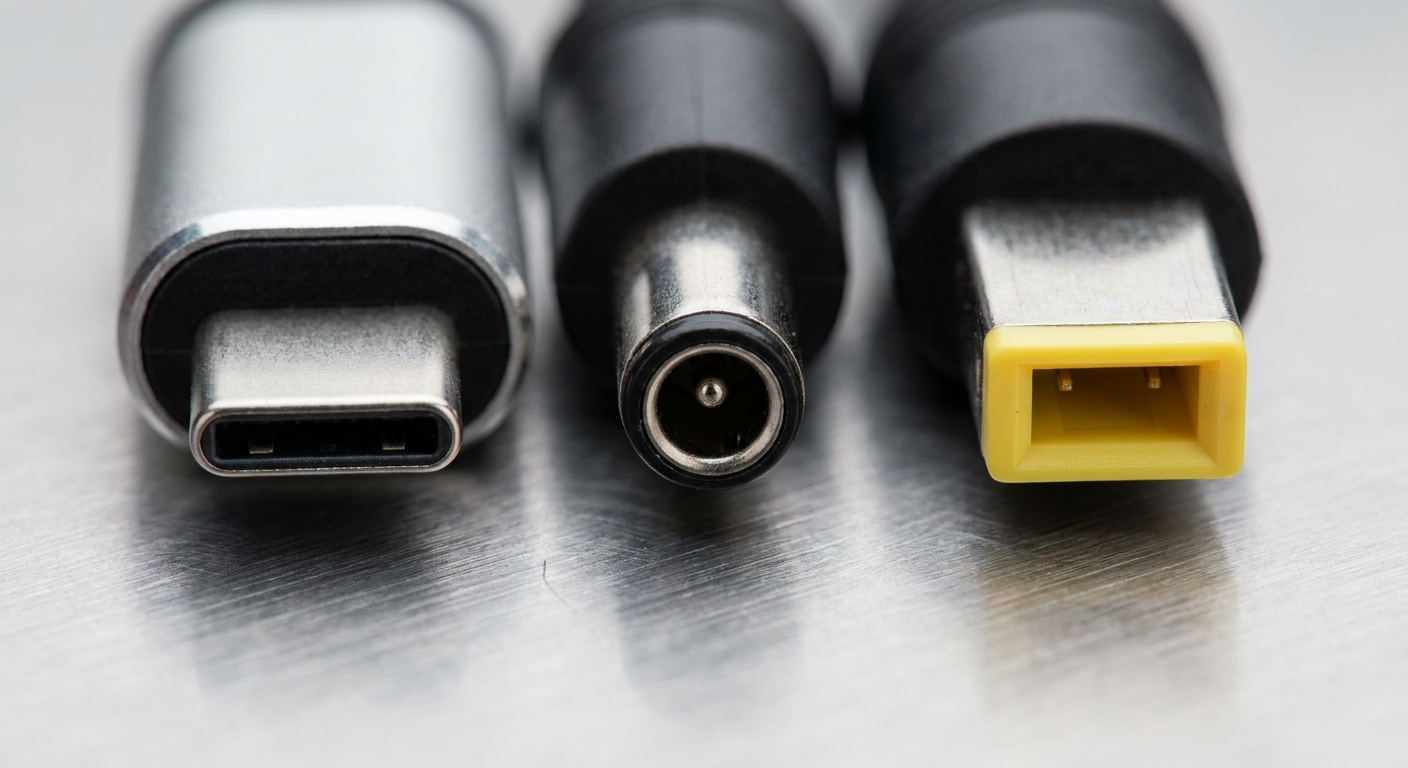
An AC power adapter for laptop charging uses various physical connectors, ranging from legacy barrel plugs to modern USB Type-C connections, to deliver direct current safely. Standardizing physical connections across your fleet can simplify IT support and reduce cable clutter. Sourcing a versatile AC power adapter for laptop fleet with standardized connectors is a smart way to streamline replacement costs.
While barrel plugs remain common, modern enterprise setups are quickly moving toward universal standards. Let’s look at the connector types used across different brands.
Are Coaxial Barrel Plugs Still Relevant?
Coaxial barrel connectors have been the industry standard for decades, using a round metal sleeve to deliver power safely. These connectors come in many sizes, such as 5.5mm x 2.5mm or 4.5mm x 3.0mm, to prevent users from plugging in the wrong charger.
Many legacy chargers also feature a central smart pin that communicates with the laptop’s motherboard. This pin allows the computer to confirm the charger is authentic and safe before accepting power.
Here is the catch:
- Incompatibility: Small differences in plug sizes make it difficult to share chargers.
- Physical Wear: Constant plugging and unplugging can loosen the internal jack over time.
- Proprietary Chips: Require matching brand-specific communication protocols to enable charging.
Why Is USB-C Slaying Proprietary Plugs?
The modern USB-C connector has transformed enterprise IT departments by standardizing power delivery across different brands. Using a USB-C laptop power adapter allows you to charge laptops, tablets, and phones with a single cable type.
USB Power Delivery (USB-PD) technology enables smart communication between the charger and the device. This negotiation ensures the adapter delivers the exact voltage needed, preventing electrical damage.
But that is not all:
- Universal Sourcing: Simplifies inventory management with one charger type for all devices.
- Reversible Design: Reduces wear and tear by making it impossible to plug in upside down.
- Dynamic Power: Scales power delivery automatically from 15W up to 100W or more.
Key Takeaway: Legacy barrel plugs are still common, but standardizing your business fleet on USB-C chargers reduces electronic waste and simplifies IT support.
This table lists standard connector profiles used across enterprise laptop fleets.
| Connector Image Reference | Dimensions / Type | Pin Configuration | Primary Target Brands | Max Power Delivery | |
|---|---|---|---|---|---|
| USB-C Type-C | Reversible 24-pin | USB-PD communication | Dell, HP, Lenovo, Apple | Up to 100W (USB-PD 3.0) / 240W (3.1) | |
| Square Tip (Slim Tip) | Rectangular | Central signal pin | Lenovo ThinkPad Series | Up to 170W – 230W | |
| Coaxial Barrel | 7.4mm Outer / 5.0mm Inner | Center smart pin | Legacy Dell / HP ProBooks | Up to 90W – 130W |
Evaluating these connector profiles is crucial for deciding whether to transition your enterprise fleet to USB-C.
Which Safety Certifications Should an AC Power Adapter for Laptop Meet?
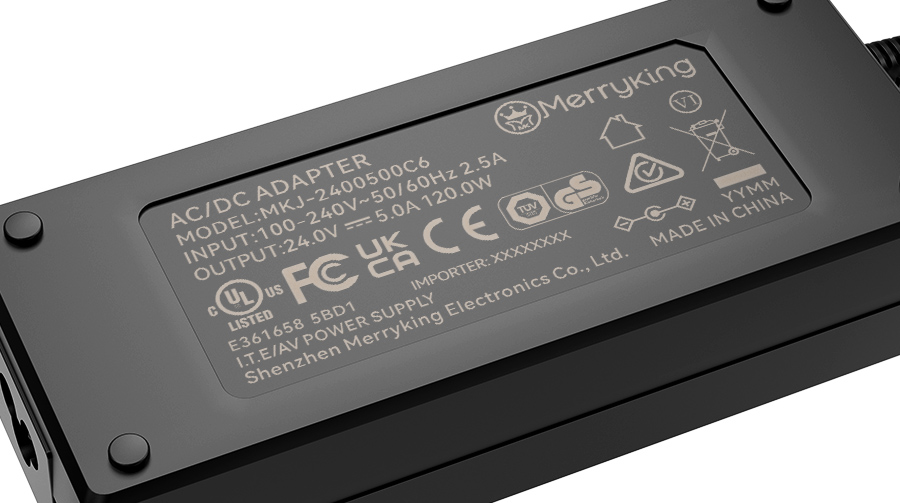
An AC power adapter for laptop fleets must carry verified safety certifications from recognized national laboratories to guarantee safe, reliable operation in corporate and industrial environments. Sourcing an approved charging system protects your business from liability and complies with workplace safety laws. Uncertified chargers pose significant electrical and fire hazards that can disrupt your operations.
These marks indicate that a charger has undergone rigorous testing under heavy workloads. Let’s look at the essential global safety standards you should look for.
What Do UL, CE, and FCC Marks Guarantee?
Underwriters Laboratories (UL) and CE marks show that a power supply has been tested and meets strict safety and environmental protection guidelines. These certifications guarantee that the charger features fire-retardant plastics and robust insulation to prevent electrical shocks.
FCC and CE electromagnetic compatibility (EMC) standards ensure the charger does not emit disruptive radio interference. This protection keeps your office Wi-Fi and Bluetooth networks running smoothly without disruption.
Here is the truth:
- UL/cUL Listed: Confirms compliance with North American fire and electrical safety standards.
- CE Mark: Guarantees compliance with strict European health and safety regulations.
- FCC/EMC Compliance: Limits electromagnetic noise to prevent wireless interference.
How Do Protection Circuits Prevent Hazards?
Beyond official certification marks, a high-quality charger must include several layers of active electrical protection. These built-in safety circuits act as electronic bodyguards, monitoring voltage, current, and temperature constantly.
If an electrical short or power surge occurs, a certified laptop power adapter will shut down instantly to protect the user and the connected computer. This active safety design helps prevent downtime and costly hardware damage.
Think about it this way:
- Over-Voltage Protection (OVP): Shuts down the unit if voltage spikes beyond safe levels.
- Over-Current Protection (OCP): Limits output current to prevent short-circuit damage.
- Over-Temperature Protection (OTP): Cuts power automatically if internal components overheat.
Key Takeaway: Sourcing power adapters certified by recognized testing laboratories ensures your hardware is protected by active safety circuits, minimizing fire risks and electrical failures.
This table lists key safety certifications required for global technology deployment.
| Safety Certification Mark | Regulatory Scope | Required Region | Compliance Focus | |
|---|---|---|---|---|
| UL / cUL Listed | Underwriters Laboratories | North America | Electrical safety, fire prevention, dielectric testing. | |
| CE Marking | European Conformity | European Economic Area | Health, safety, and environmental protection. | |
| FCC / CE EMC | Electromagnetic Compatibility | USA / Europe | Restricts electromagnetic interference with other electronics. |
Verifying these markings ensures compliance with international importing regulations and occupational safety policies.
What Problems Can Occur With a Low-Quality AC Power Adapter for Laptop?
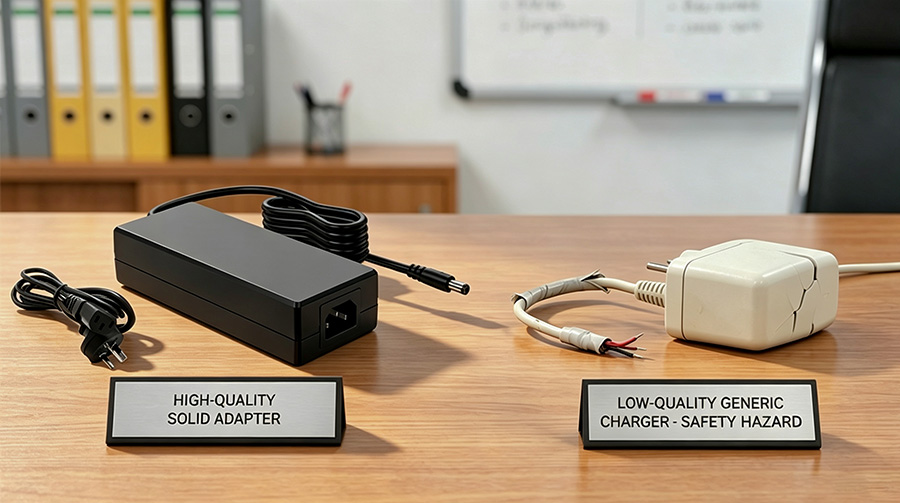
Using a low-quality AC power adapter for laptop devices can lead to persistent system instability, accelerated battery degradation, and serious workplace fire hazards. Sourcing cheap, uncertified power units to save budget often leads to high failure rates and hardware damage. Working with a reliable laptop charger manufacturer protects your business from high failure rates, equipment damage, and costly warranty claims.
Cheap, generic power bricks often omit crucial protective components to lower manufacturing costs. Let’s look at the real-world risks of using sub-par charging hardware.
How Does Electrical Noise Disrupt Devices?
Cheap chargers often lack adequate filter components, resulting in a dirty DC output with high voltage ripple. This electrical noise can interfere with your laptop’s sensitive components, causing erratic cursor behavior or touchscreen failures.
This dirty current also forces your laptop’s internal voltage regulators to work harder, generating excess heat. Over time, this stress can cause premature component failures and shorten the life of your hardware.
Here is the deal:
- Erratic Trackpads: High electromagnetic interference can cause unstable cursor movement.
- Hardware Stress: Excess heat ages motherboard capacitors and voltage regulators prematurely.
- Data Corruption: Unstable power delivery can cause sudden system reboots or file loss.
Why Do Cheap Chargers Overheat Easily?
Low-quality manufacturers often use small, cheap heatsinks and thin wires to save on production costs. When these chargers are used under heavy workloads, they struggle to dissipate heat, causing them to run dangerously hot.
Without active thermal protection, these units can melt their own plastic housings or catch fire. Sourcing a high-quality replacement laptop power adapter built with thick copper wiring and proper heatsinks is essential to keep your office safe.
Think about it:
- Melted Cases: Poor heat management can soften and deform cheap plastic enclosures.
- Fire Hazard: Lack of thermal cutoff switches increases the risk of ignition.
- Short Lifespan: Extreme heat causes cheap internal capacitors to fail within months.
Key Takeaway: Low-quality chargers are a costly risk that can damage your laptops, shorten battery lifespans, and create dangerous electrical hazards in your office.
Compare the design practices of premium power supplies with the compromises made in cheap, generic units.
| Technical Feature | Premium Certified Adapter | Cheap Generic Adapter | Operational Risk | |
|---|---|---|---|---|
| EMI Filtering | Dual-stage Pi filter with choke | No filtering choke installed | High EMI interferes with local Wi-Fi and trackpads. | |
| Heatsink Size | Large aluminum dissipating plates | Small or non-existent heatsink | High heat causes components to fail early. | |
| Cable Core Quality | Pure tinned copper (thick gauge) | Copper-clad aluminum (thin) | High resistance causes voltage drops and warm cables. |
This technical comparison illustrates how hidden material cuts in generic chargers lead directly to field failures.
How Can Buyers Choose the Right AC Power Adapter for Laptop Projects?
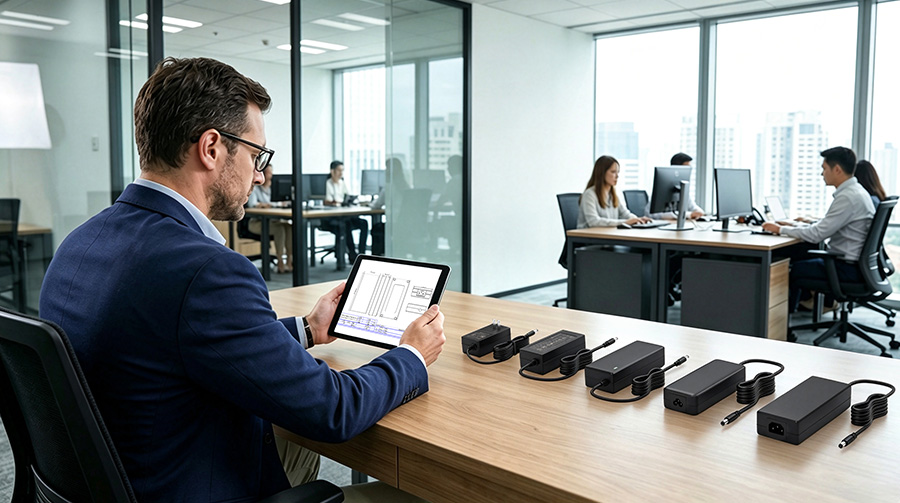
Choosing the right AC power adapter for laptop projects requires careful verification of electrical output specs, physical connector compatibility, and supplier quality standards. Sourcing the correct OEM laptop power adapter ensures long-term compatibility and reduces total cost of ownership. Your choice of power supply directly impacts customer satisfaction and warranty costs.
Making the right choice involves evaluating both technical specifications and supplier reliability. Let’s look at the key steps in the selection process.
What Technical Details Must You Double-Check?
You should begin by matching the output voltage of the new charger to your laptop’s original specifications exactly. Next, verify that the adapter’s amperage rating is equal to or higher than your device’s maximum power draw.
Finally, inspect the physical connection to ensure a secure fit that won’t lose connection during daily use. Choosing a modern USB-C charger is a great way to future-proof your setup, as it is compatible with many different devices.
Here is the strategy:
- Exact Voltage Matching: Prevents damaging sensitive internal circuits.
- Amperage Verification: Ensures the charger can deliver enough power without overheating.
- Connector Inspection: Confirms a secure, reliable physical connection.
How Can You Audit a Sourcing Partner?
When sourcing chargers in bulk, you should always partner with an established factory that holds ISO 9001 and ISO 14001 quality management certifications. You must verify that their safety certificates are valid and registered under their own name.
It is also important to request and test sample units to evaluate their performance under heavy workloads before placing a large order. This hands-on testing helps you avoid costly quality surprises down the road.
Keep this checklist handy:
- Verify Safety Certificates: Ensure all regulatory marks are valid and up to date.
- Audit Defect Rates: Look for suppliers with a proven track record of consistent quality.
- Request Sample Units: Run performance tests on real samples before buying in bulk.
Key Takeaway: Successful bulk charger procurement relies on matching electrical specifications, choosing durable connector designs, and carefully auditing your manufacturing partner’s quality systems.
This matrix helps procurement teams evaluate potential power supply partners.
| Sourcing Criterion | Minimum Acceptable Standard | Premium OEM Target | Strategic Business Value | |
|---|---|---|---|---|
| MTBF Reliability | > 30,000 Hours | > 100,000 Hours | Reduces replacement cycles and IT support costs. | |
| Factory Quality Audit | ISO 9001 Certification | ISO 9001 + ISO 14001 + IATF 16949 | Ensures consistent product quality and safety. | |
| Defect Rate (DPPM) | < 1,000 Defective Parts Per Million | < 100 Defective Parts Per Million | Minimizes warranty returns and fleet downtime. |
Using these strict benchmarks helps you select highly reliable, long-term manufacturing partners.
How Can Manufacturers Customize an AC Power Adapter for Laptop Brands?
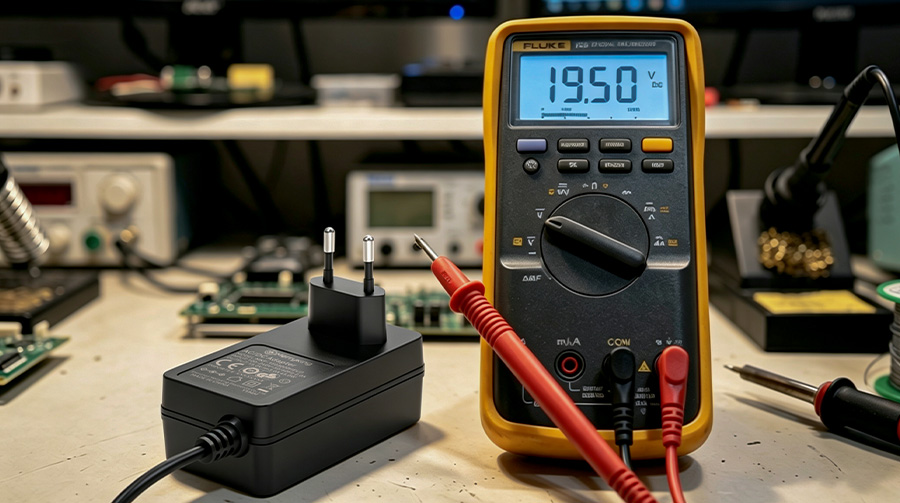
Manufacturers can customize an AC power adapter for laptop brands by tailoring the electrical output, enclosure design, cable configurations, and branding elements to match specific product needs. Partnering with a professional custom laptop power adapter manufacturer gives you access to specialized engineering expertise to optimize your power systems. Co-developing a custom power accessory helps hardware brands stand out and deliver a premium user experience.
From initial concept drawings to final mass production, every aspect of the charger can be tailored to match your product goals. Let’s look at the customization options available.
Can You Tune the Electrical Specs of Your Charger?
Every electronic device has unique power requirements, and a custom charger can be tuned to deliver optimal power. Engineers can adjust the voltage ramp-up rates and set specific safety shut-off points to match your device’s power management system.
This precise tuning helps improve overall charging efficiency and protects your hardware from wear and tear. Working with an experienced engineering team is key to designing a power system that delivers top performance.
Here is how it works:
- Custom Voltage Output: Allows you to tune voltage to match your device’s exact needs.
- Specialized Protection: Lets you set custom thresholds for voltage and current shut-offs.
- High-Altitude Ratings: Allows you to build rugged chargers for harsh industrial environments.
What Branding and Packaging Options Exist?
Customizing the exterior of your power adapter is a great way to build brand recognition and deliver a unified product experience. You can choose custom-colored housings, apply laser-etched logos, and select specific textures to match your laptop’s style.
Custom packaging and cord management options also help create a premium unboxing experience for your customers. These details help elevate your brand and create a lasting impression.
Think about the options:
- Laser Etching: Applies your brand logo permanently onto the plastic casing.
- Custom Cables: Offers custom cord lengths, durable braided covers, and integrated straps.
- Eco-Friendly Packaging: Uses sustainable materials to reduce environmental impact and lower shipping costs.
Key Takeaway: Customizing your power adapters allows you to optimize electrical performance and build brand value, helping your products stand out in a crowded market.
This table lists standard lead times, customization options, and MOQs for custom power adapter projects.
| Customization Option | Available Formats / Features | Minimum Order Quantity (MOQ) | Standard Prototype Lead Time | |
|---|---|---|---|---|
| Electrical Tuning | Custom DC output voltage, specialized safety trip-points | 1,000 Units | 2 to 3 Weeks | |
| Enclosure Customization | Laser-etched logo, customized PC/ABS textures, unique colors | 2,000 Units | 1 to 2 Weeks | |
| Cable & Tip Modification | Custom cable lengths, braided sleeves, custom tip dimensions | 1,000 Units | 1 Week |
Understanding these engineering parameters helps product designers plan development timelines and target production budgets.
Conclusion
Sourcing the right AC power supply is a critical decision that directly impacts the reliability, performance, and safety of your enterprise IT fleet or hardware brand. Investing in high-quality, certified charging solutions protects your hardware, extends battery lifespans, and reduces downtime across your entire organization. Avoiding sub-par generic accessories is the single most effective way to eliminate hardware damage and prevent safety incidents.
Working with an experienced OEM/ODM manufacturer ensures your power systems meet strict global safety standards and deliver consistent, reliable performance. If you are ready to secure high-performance power adapters for your next hardware project, contact us today to request detailed technical datasheets, pricing catalogs, or custom samples.
Frequently Asked Questions
Can I use a higher wattage adapter for my laptop?
Yes, using a higher-wattage charger is completely safe for your device. Your laptop controls the power draw and will only pull the current it needs to run and charge. The larger charger will run cooler and face less electrical stress under load.
How do I know if my laptop adapter is getting too hot?
You can verify this by checking if the adapter is comfortable to hold during charging. While it is normal for power supplies to run warm, a casing that is too hot to touch indicates a potential overload or internal failure. In this case, you should unplug the unit immediately and replace it.
How do I know if a laptop power supply is certified safe?
You can confirm safety status by checking the adapter’s regulatory label for official certification marks. Reputable chargers carry registered safety numbers from testing organizations like UL, CE, GS, or FCC. You can verify these numbers directly in public registries like the Underwriters Laboratories database.
What’s the best way to choose a USB-C adapter for my laptop?
The best approach is to select an adapter that supports the USB Power Delivery (USB-PD) standard and matches or exceeds your laptop’s required wattage. The charger and device will automatically negotiate the correct, safe voltage level upon connection. Sourcing a charger with pre-approved safety certifications ensures long-term reliability.
How do I know if a low-quality adapter is damaging my battery?
You can detect potential damage if your laptop’s battery life begins dropping rapidly or if the computer runs unusually warm while charging. Unsmoothed voltage ripple from cheap adapters puts excessive strain on internal battery chemistry. This stress degrades the cell structure over time, leading to reduced runtimes and a shorter overall lifespan.