Choosing the right power adapter requires carefully matching your device’s exact electrical specifications, safety certifications, and physical connector dimensions to guarantee stable operation.
Imagine a critical deployment where high-value edge gateways suddenly overheat and burn out due to unstable voltage feeds, halting your operations and driving up warranty expenses. When cheap or incorrect power supplies are integrated into your enterprise hardware, the resulting downtime and component degradation can severely damage your brand’s reputation and bottom line. Sourcing high-quality, fully-certified units is the definitive solution to prevent these risks and secure your supply chain. Learning How to Choose the Right Power Adapter is a vital strategic decision for hardware engineers and B2B procurement managers who prioritize operational efficiency.
① What Does It Mean to Know How to Choose the Right Power Adapter?

Knowing How to Choose the Right Power Adapter means matching electrical specifications, physical connectors, and safety standards to protect equipment and optimize performance. Selecting an appropriate unit ensures that electrical transfer is smooth, preventing equipment damage and thermal issues.
For procurement officers and product designers, mastering this process is essential to maintaining hardware lifecycle standards. This comprehensive understanding also involves evaluating regulatory certificates and manufacturing origins to minimize field failures.
Can a bad adapter choice delay your hardware launch?
Using an incorrect adapter can lead to unexpected circuit damage during the validation phase.
Here is the deal:
- Power fluctuations halt critical QA testing cycles.
- Burnt components force expensive PCB redesigns.
- Product shipping delays cause immediate client churn.
What primary factors define power compatibility?
Electrical compatibility depends primarily on matching voltage, current capacity, and DC connector geometry.
Look at the core parameters:
- Verify input AC ranges (e.g., 100V–240V).
- Check output DC voltage and current.
- Examine physical barrel dimensions (OD/ID).
Key Takeaway: Hardware stability rests entirely on exact electrical and mechanical compatibility between the power supply and your target load.
The table below outlines the key structural pillars of choosing adapters, highlighting how specific hardware choices directly influence project timelines and electrical integrity.
| Technical Parameter | Metric Type | Verification Standard | |
|---|---|---|---|
| Output Voltage | Constant DC (Volts) | Must match device input exactly | |
| Current Capacity | Amperage (Amps) | Must meet or exceed device draw | |
| Polarity Profile | Center Positive/Negative | Must match device chassis diagram | |
| Connector Type | Barrel, USB-C, or Custom | Must match physical interface |
② Why Is Learning How to Choose the Right Power Adapter Important?
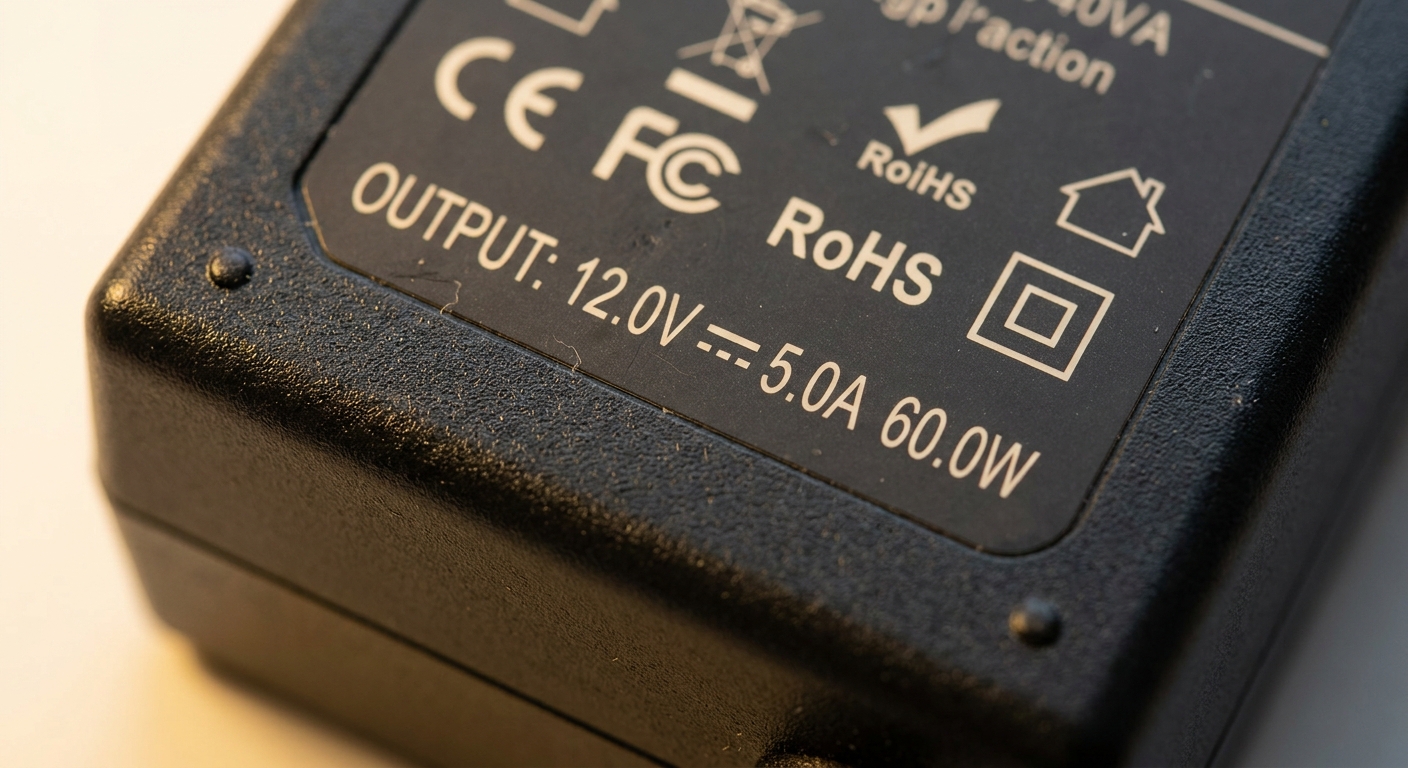
Learning How to Choose the Right Power Adapter is important because it protects your hardware investments, avoids costly downtime, and guarantees regulatory compliance. Substandard selection can lead to expensive equipment degradation, unexpected downsizes, and severe safety hazards.
Enterprise buyers must prioritize optimized adapters to safeguard high-value machinery. Making the correct choice protects sensitive internal components from transient voltage surges.
Will poor adapter quality damage your reputation?
Failing hardware due to cheap adapters ruins customer trust.
Here is the truth:
- Excessive field failures increase product return rates.
- Negative online reviews drive potential clients to competitors.
- Warranty service costs drain your development margins.
How does efficiency affect your operating costs?
Efficient power conversion translates directly to lowered energy bills and reduced heating within your system enclosures.
Consider the operational savings:
- High-efficiency adapters lose less energy as waste heat.
- Enclosure cooling requirements are dramatically reduced.
- Utility expenses drop significantly over multi-year deployments.
Key Takeaway: Prioritizing power adapter quality directly protects your bottom line and improves client satisfaction scores.
The operational analysis table below demonstrates how upgrading component standards changes key cost drivers from liabilities into long-term savings.
| Business Metric | Impact of Low-Quality Adapter | Benefit of Premium Sourced Adapter | |
|---|---|---|---|
| MTBF Rate | Under 10,000 Hours (Frequent Failures) | Over 50,000 Hours (Long-Term Reliability) | |
| Warranty Expense | Escalating due to field replacements | Predictable, near-zero warranty draw | |
| System Heat | High operating temperatures | Cool, efficient thermal footprint |
③ How to Choose the Right Power Adapter Based on Voltage Requirements?
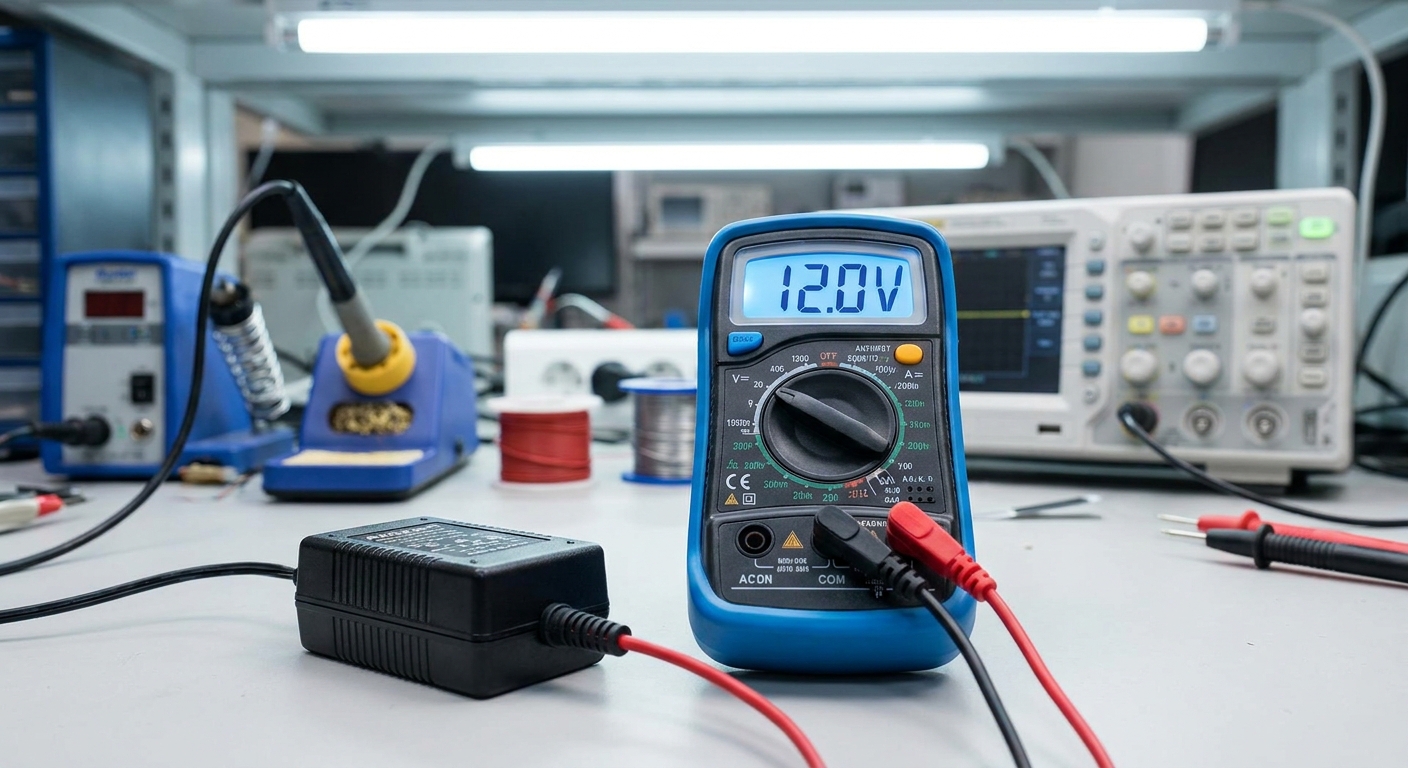
Learning How to Choose the Right Power Adapter based on voltage requirements starts with matching the adapter’s output voltage exactly to your device’s required input voltage. If the voltage is too high, it will damage internal circuitry; if it is too low, the device will not function.
You must inspect the label markings carefully before pairing any power supply. Voltages are standardized across global networks, requiring careful selection between alternating current (AC) and direct current (DC) outputs.
Does overvoltage immediately fry sensitive circuits?
Exposing a device to excess voltage causes immediate semiconductor breakdown and potential fire hazards.
Consider these physical risks:
- Internal capacitors break down under high voltage.
- IC chips overheat and melt within seconds.
- Safety traces on the PCB might vaporize.
Can low voltage cause unstable device behavior?
Undervoltage prevents critical components from initializing, leading to brownouts and firmware crashes.
Here is the hard reality:
- Processors constantly reboot due to power starvation.
- Storage drives fail to spin up or corruption occurs.
- Wireless transmitters drop connections frequently.
Key Takeaway: Always match the voltage rating exactly (e.g., a 12V device requires a 12V adapter) to prevent instant hardware destruction or operational failure.
The voltage compatibility matrix below lists safe and unsafe operational tolerances, confirming the importance of exact matches in system configuration.
| Target Device Specification | Adapter Voltage Match | System Status | |
|---|---|---|---|
| 12V DC Input | 12V DC Output | Optimal & Safe | |
| 12V DC Input | 19V DC Output | Overvoltage: Severe Risk of Fire | |
| 12V DC Input | 5V DC Output | Undervoltage: Device Fails to Start |
④ How to Choose the Right Power Adapter According to Current Ratings?
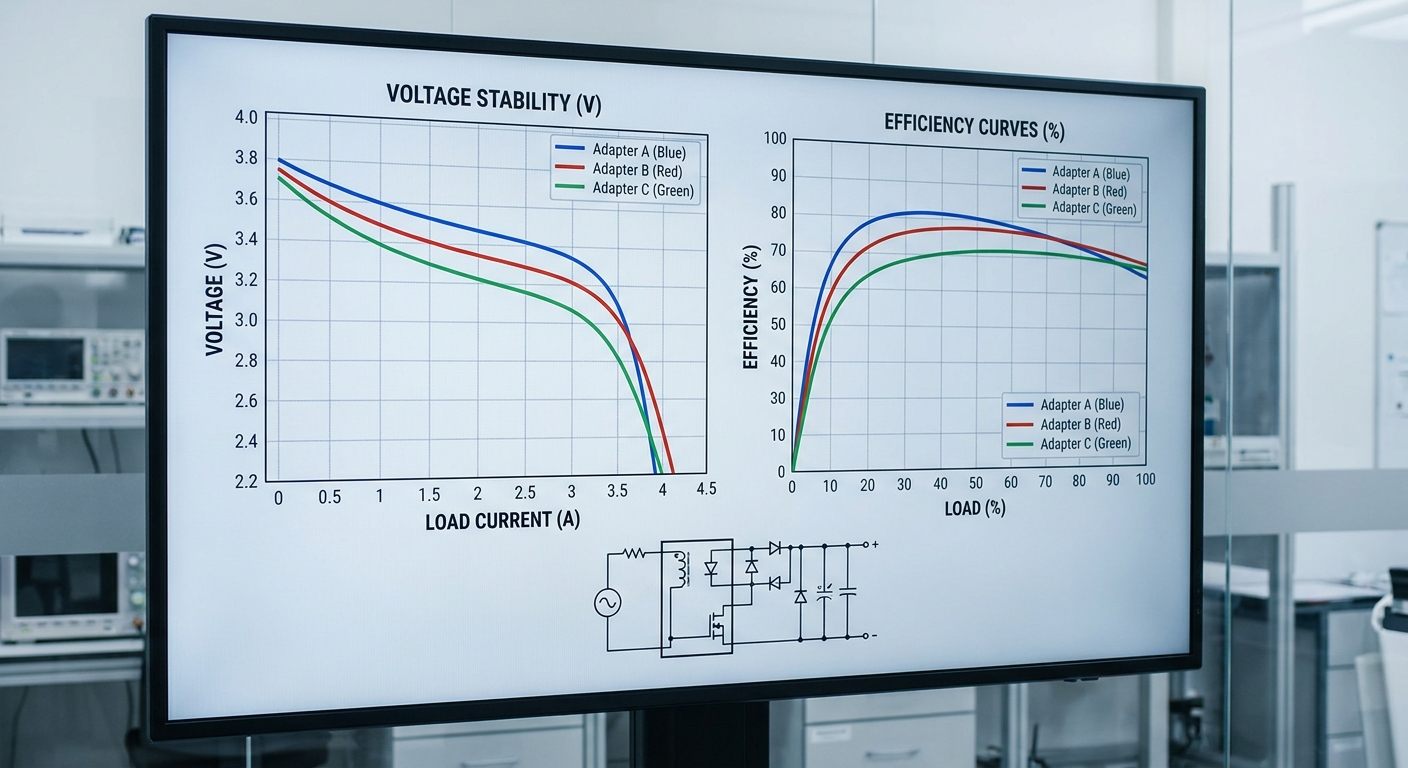
Learning How to Choose the Right Power Adapter according to current ratings requires selecting an adapter that delivers an amperage output equal to or greater than the device’s maximum draw. While voltage must be an exact match, current (amperage) can be equal to or greater than the load’s requirements.
The device pulls only the current it needs from the power supply during operation. Therefore, an adapter with higher amperage capacity offers a safe operating buffer and runs cooler.
Is a higher amperage rating safe for your device?
The device dictates the current draw, not the power adapter.
Here is the scientific reality:
- An adapter rated for 5A easily powers a 2A device safely.
- The adapter operates with a wider thermal safety headroom.
- Voltage stability is maintained during peak usage spikes.
What happens if your adapter underdelivers current?
An under-rated adapter will overheat rapidly as it tries to draw more current than it can handle.
Watch out for these symptoms:
- The power supply will thermal throttle or shut down.
- Internal components age prematurely due to constant heat.
- Output voltage drops, causing downstream device resets.
Key Takeaway: Choose a power adapter with an amperage rating equal to or higher than the device’s specified draw.
The current distribution table below compares safety parameters, highlighting why higher current ratings offer better margins for hardware deployments.
| Device Max Current Draw | Adapter Output Rating | Adapter Thermal Load | Recommendation | |
|---|---|---|---|---|
| 2.0 Amps | 1.0 Amps | Critical (Extreme Overheat) | Prohibited | |
| 2.0 Amps | 2.0 Amps | Moderate (Normal Operation) | Acceptable | |
| 2.0 Amps | 3.0 Amps | Minimal (Cool & Long-Lasting) | Highly Recommended |
⑤ How to Choose the Right Power Adapter With the Correct Connector Type?
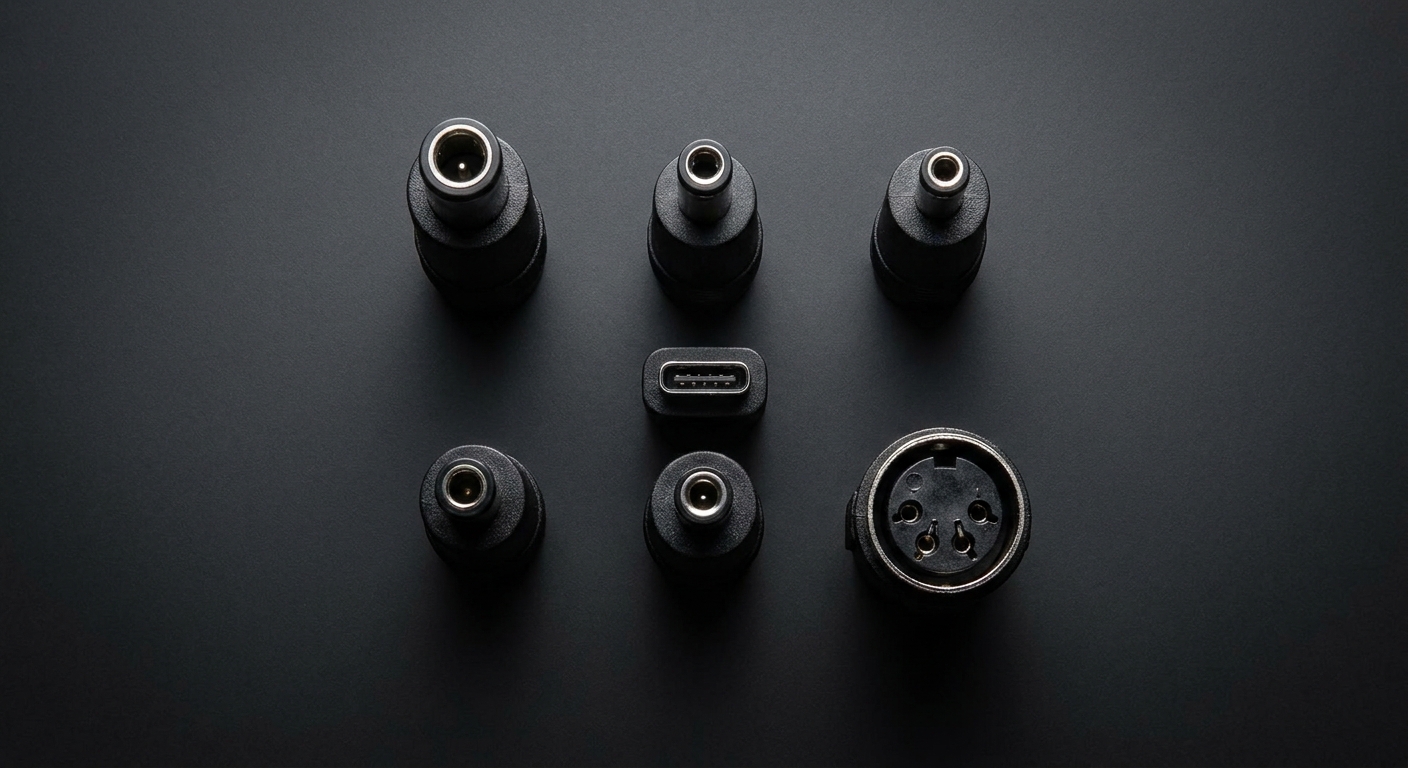
Learning How to Choose the Right Power Adapter with the correct connector type involves physically matching the outer diameter, inner diameter, pin configuration, and polarity of the plug to your hardware’s DC jack. A mismatch prevents connection or, worse, leads to short-circuiting and equipment damage.
Connector types vary globally from standard DC barrel plugs to modern USB-C interfaces. Careful documentation of mechanical dimensions prevents costly purchasing mistakes.
Will a wrong connector size ruin your hardware port?
Forcing an incorrect plug can bend inner contact pins or crack the mounted jack on the PCB.
Avoid these hardware damages:
- Replacing a damaged DC jack requires manual desoldering.
- Loose connections cause intermittent power drops.
- Arcing can occur, creating a serious fire risk.
Are universal barrel plugs reliable for B2B use?
While convenient, interchangeable multi-tip connectors introduce points of failure that make them unsuitable for industrial deployment.
Consider the failure modes:
- Tips can loosen and drop off over time.
- Users may accidentally reverse the connection polarity.
- Higher contact resistance lowers overall power transfer efficiency.
Key Takeaway: Standardize on molded, single-mold connectors that match your exact port dimensions to ensure maximum mechanical reliability.
The mechanical compatibility table below categorizes standard plug shapes, providing engineers with a reliable reference for sizing physical interfaces.
| Connector Type | Common Sizes (OD / ID) | Best Application | B2B Reliability | |
|---|---|---|---|---|
| 5.5mm x 2.1mm | 5.5mm / 2.1mm | Standard Routers & Modems | High (Industry Standard) | |
| 5.5mm x 2.5mm | 5.5mm / 2.5mm | High-Draw Monitors, Laptops | High (Heavy Duty) | |
| USB Type-C | Standardized | Modern Smart Devices & IoT | Excellent (Smart Negotiation) |
⑥ How to Choose the Right Power Adapter for Safety and Certification Compliance?
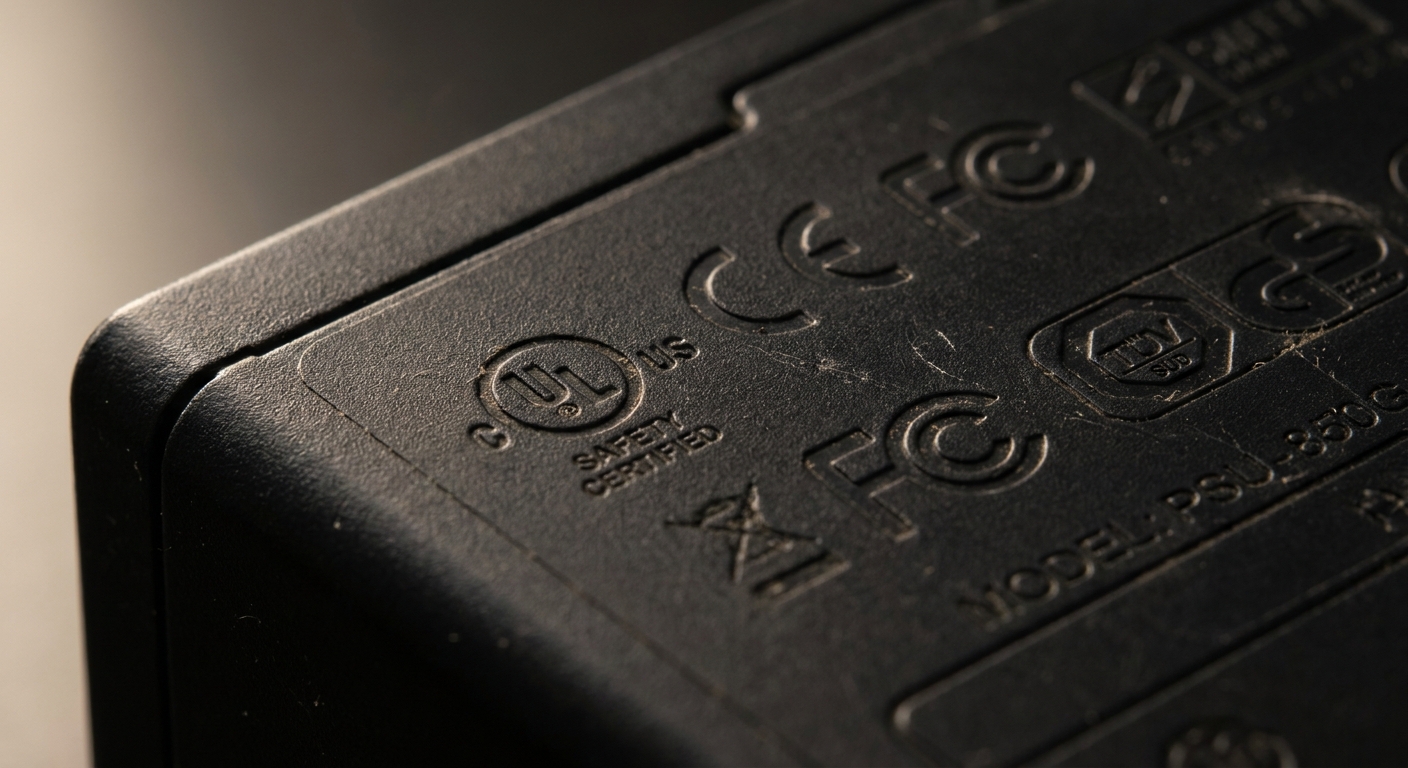
Learning How to Choose the Right Power Adapter for safety and certification compliance means ensuring the unit carries recognized marks like UL, CE, FCC, or TÜV. These certificates prove the unit complies with strict regional safety standards to prevent electrical shocks and fires.
Certified adapters feature built-in protections against overvoltage, overcurrent, and short circuits. These features protect your device and your corporate facilities.
Does skipping safety marks expose you to liability?
Deploying uncertified power supplies can lead to legal penalties and voided business insurance in case of accidents.
Consider these legal realities:
- Customs may seize shipments containing non-compliant adapters.
- Your business faces lawsuits if hardware causes property damage.
- Retail distribution networks will reject uncertified products.
Which global certifications are mandatory for you?
The certifications you need depend on where you sell and deploy your electronic devices.
Verify this regional guide:
- UL/cUL is mandatory for US and Canadian markets.
- CE/GS is required for European Union commercial sales.
- PSE and KC are essential for Japan and South Korea.
Key Takeaway: Never sacrifice safety compliance; certified adapters are an insurance policy for your hardware investments and corporate brand.
The compliance mapping table below details regulatory standards, confirming the certification paths needed for legal distribution across major world markets.
| Region | Regulatory Certification | Focus Areas | Compliance Status | |
|---|---|---|---|---|
| North America | UL / cUL | Fire Prevention, Electrical Shock Protection | Mandatory | |
| European Union | CE / GS | Low Voltage Directive, Health & Safety | Mandatory | |
| Global | CB Scheme | Multi-Country Harmonization Safety Testing | Recommended |
⑦ How to Choose the Right Power Adapter for Energy Efficiency?

To understand How to Choose the Right Power Adapter for energy efficiency, you must select units that meet international efficiency standards such as DoE Level VI or CoC Tier 2. Highly efficient units minimize energy loss during AC-to-DC conversion, which lowers operating costs and heat generation.
Modern high-efficiency adapters use advanced semiconductor materials like Gallium Nitride (GaN) to reduce energy loss. This technology allows for smaller, cooler, and lighter designs.
Are DoE Level VI standards mandatory for business?
The United States Department of Energy strictly enforces Level VI compliance for external power supplies imported or sold domestically.
Keep these regulations in mind:
- Non-compliant power adapters cannot clear US customs legally.
- Level VI guarantees strict limits on standby power usage.
- Active efficiency must remain high across all load levels.
How much power does vampire draw waste annually?
Idle power consumption, or “vampire draw,” can waste substantial energy when thousands of units are left plugged in.
Consider the efficiency calculations:
- Older adapters can pull over 0.5 Watts when idle.
- Level VI adapters limit idle power to under 0.1 Watts.
- Across large enterprise deployments, this difference saves thousands of dollars.
Key Takeaway: Specifying DoE Level VI or CoC Tier 2 adapters ensures legal compliance and reduces long-term operational costs.
The conversion efficiency table below contrasts historical standards with current regulations, helping teams verify the efficiency certifications of potential supplies.
| Efficiency Level Mark | Max No-Load Power Draw | Active Efficiency Requirement | Adoption Status | |
|---|---|---|---|---|
| Level IV | < 0.50 Watts | ~ 75% Average Conversion | Obsolete | |
| Level V | < 0.30 Watts | ~ 82% Average Conversion | Restricted | |
| Level VI | < 0.10 Watts | ~ 87% Average Conversion | Mandatory (US/EU) |
⑧ How to Choose the Right Power Adapter for Industrial and Commercial Applications?
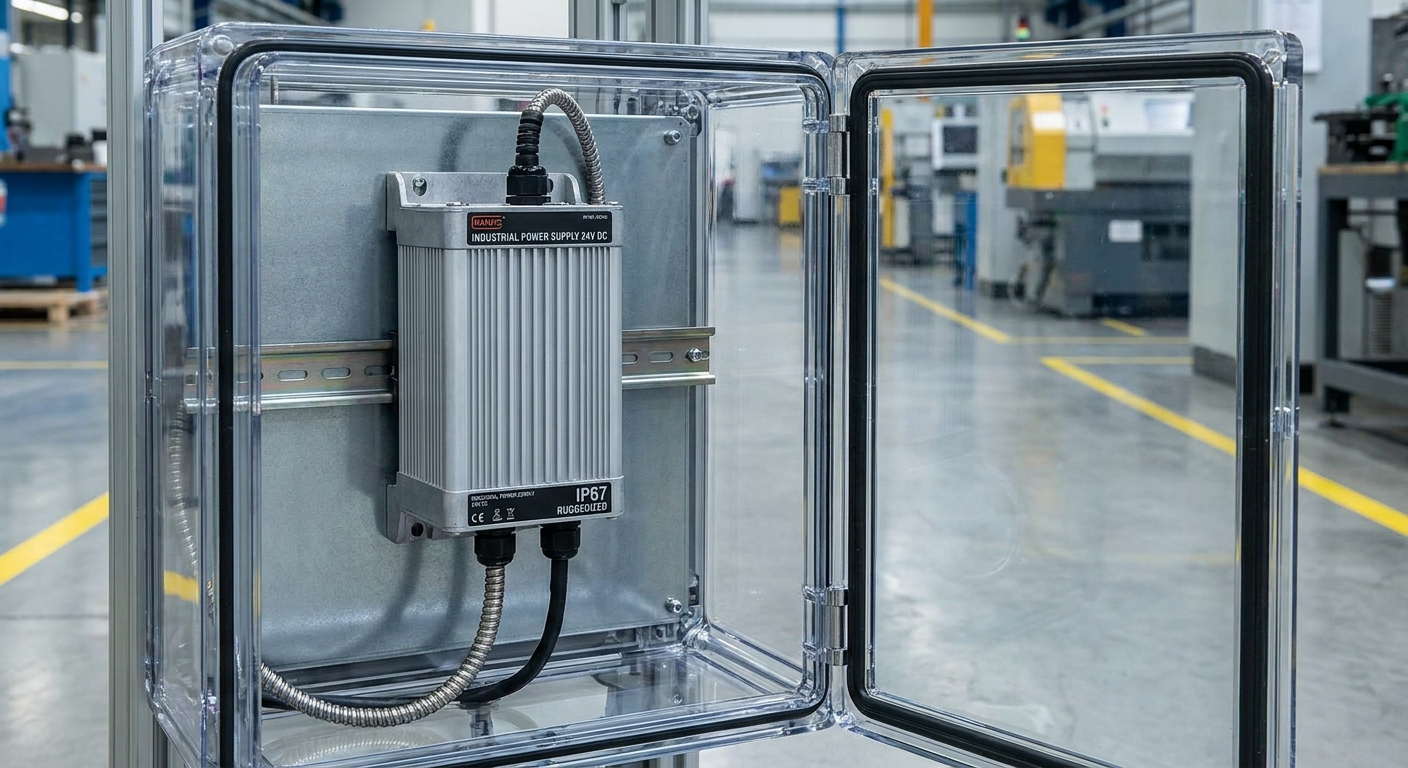
Learning How to Choose the Right Power Adapter for industrial and commercial environments requires sourcing ruggedized units designed with wide operating temperatures and high MTBF ratings. Industrial environments expose electronics to dust, moisture, vibration, and extreme temperatures that consumer-grade hardware cannot withstand.
Commercial designs often require specialized mounting configurations like DIN rail brackets or desktop footprints. These options allow for clean integration inside machinery racks and enclosures.
Can standard adapters survive harsh factory floors?
Consumer-grade adapters will quickly fail due to dust buildup, humidity, and lack of vibration protection.
Look at these common industrial hazards:
- Fine particulate dust clogs internal ventilation slots.
- High humidity levels cause internal component corrosion.
- Mechanical shock on factory machinery cracks solder joints.
Why do industrial setups require MTBF guarantees?
Mean Time Between Failures (MTBF) gives a statistical baseline for system reliability, which is critical for planning maintenance cycles.
Consider these commercial benefits:
- High MTBF ratings minimize unplanned line shutdowns.
- Standardized lifespans allow scheduled component replacements.
- Calculated reliability builds client confidence in your systems.
Key Takeaway: Industrial applications demand ruggedized chassis, wide thermal operation limits, and high certified MTBF ratings to prevent downtime.
The industrial adaptation table below highlights key physical and electrical differences, proving why consumer-grade accessories are unsuited for harsh work areas.
| Environmental Stressor | Consumer-Grade Adapter | Industrial-Grade Adapter | |
|---|---|---|---|
| Temperature Range | 0°C to 40°C | -20°C to 70°C | |
| Ingress Protection | No Rating (IP20) | Dust/Water Resistant (IP54 to IP67) | |
| Over-Voltage Surge | Basic Protection (1kV) | Enhanced Surge Immunity (4kV to 6kV) |
⑨ What Common Mistakes Should You Avoid When Learning How to Choose the Right Power Adapter?
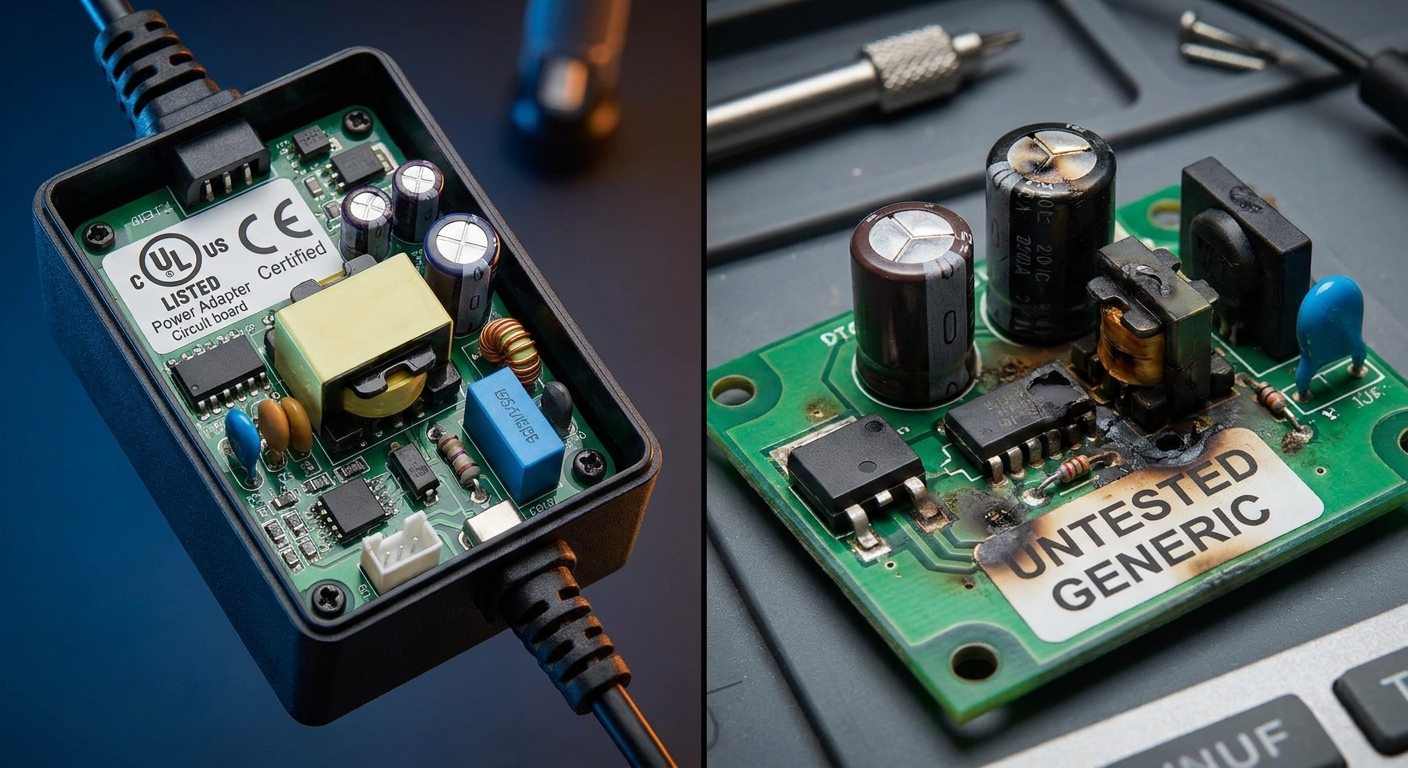
The best way to avoid common mistakes when learning How to Choose the Right Power Adapter is to double-check polarity symbols and avoid buying cheap, uncertified generic units. Any of these errors can lead to immediate equipment damage, voided warranties, and potential safety hazards.
Always verify electrical labels and physical dimensions before purchasing replacement parts. Taking a few moments to double-check prevents complex, expensive issues later.
Is ignoring polarity the fastest way to blow fuses?
Reversing positive and negative connections can instantly fry internal diodes and integrated circuits.
Understand these configuration details:
- Center-positive tips are standard but not universal.
- Plugging a center-negative adapter into a center-positive port can ruin electronics.
- Many cheap devices lack built-in reverse-polarity protection.
Do generic cheap adapters cost more in the end?
Cheap power adapters have higher failure rates and lack critical built-in safety protections.
Consider the actual long-term expenses:
- Frequent failures require ongoing purchasing and shipping costs.
- Unregulated voltage spikes can damage expensive downstream equipment.
- Lack of safety compliance exposes businesses to major liabilities.
Key Takeaway: Saving money on a power adapter often results in much higher costs due to equipment replacement and system downtime.
The error prevention matrix below explains common component selection mistakes and provides clear actions to prevent sourcing failures.
| Common Mistake | Root Cause | Preventive Action | |
|---|---|---|---|
| Polarity Mismatch | Misinterpreting the center symbol diagram | Use a digital multimeter to confirm actual physical output | |
| Under-current Sizing | Believing exact current matching is required | Source an adapter rated higher than target draw | |
| Ignoring Standby Draw | Buying non-Level VI compliant gear | Mandate DoE Level VI specifications in RFPs |
⑩ How to Choose the Right Power Adapter From a Reliable Manufacturer?

Sourcing and learning How to Choose the Right Power Adapter from a reliable manufacturer requires verifying their ISO certifications, design engineering support, and QA testing capabilities. Partners who hold ISO 9001 certifications can guarantee consistent build quality across volume production runs.
Top manufacturers provide detailed datasheets, engineering support, and sample units for testing before you place a large order. This collaborative approach ensures your custom or standard power adapters work reliably.
How do you verify a power adapter vendor’s quality?
Look for manufacturers with recognized certifications, state-of-the-art testing equipment, and transparent supply chains.
Use this operational checklist:
- Confirm ISO 9001 and ISO 14001 factory registrations.
- Request official UL, CE, and FCC test reports.
- Verify the manufacturer has an established global track record.
Should you demand sample units before mass ordering?
Requesting and testing sample units is the best way to confirm compatibility and verify build quality in real-world scenarios.
Use this evaluation sequence:
- Run long-term burn-in tests under maximum load.
- Measure thermal levels inside your device enclosure.
- Confirm physical plug fit and strain relief durability.
Key Takeaway: Partner with an experienced manufacturer that offers transparent certifications, full engineering support, and sample testing options.
The manufacturing qualifications table below helps procurement departments evaluate suppliers to establish secure, high-quality production contracts.
| Manufacturer Milestone | Verification Metric | Business Safety Impact | |
|---|---|---|---|
| ISO 9001 Certification | Factory Quality Management System Audit | Guarantees batch-to-batch consistency | |
| Pre-Shipment Burn-In | 100% Units Tested Under Heavy Load for 4 Hours | Minimizes Out-of-Box failures | |
| Design Customization | Engineering Department Capability | Delivers specialized plugs and cables |
Conclusion & Next Steps
Selecting the ideal power adapter is a fundamental requirement of product reliability and user safety. By matching electrical parameters, specifying safety certifications, and partnering with verified manufacturers, you can protect your investments and avoid downtime. If you are ready to secure high-performance, fully certified power adapters tailored to your project’s specifications, contact us today to connect with our engineering team and request custom samples. Together, we can fuel the next generation of safe, efficient, and robust hardware solutions globally.
❓ Frequently Asked Questions (FAQ)
Can I use a power adapter with higher voltage than my device requires?
No, you must never do this. Applying higher voltage than specified will instantly overheat internal circuits, destroy microprocessors, and can cause a fire. The output voltage of your adapter must match the input voltage requirements of your device exactly.
What’s the best way to choose between cheap and certified power adapters?
Always choose certified adapters (such as those with UL, CE, or TÜV marks). While generic adapters cost less upfront, they lack reliable safety protection circuits, run hotter, fail more often, and expose your company to major product liability claims and customs seizures.
How do I know if my device is center-positive or center-negative?
Check the labeling near the power input jack or on the original power supply. It will display a polarity diagram showing three circles connected by lines: a center circle with a dot, and two outer curved lines labeled with plus (+) and minus (-) symbols. If the plus symbol connects to the center dot, the device is center-positive.
Can I use an adapter with a higher current (amperage) rating than specified?
Yes, this is completely safe. The target device only draws the amperage it needs to operate. Sourcing an adapter with a higher current rating actually provides a safer thermal operating cushion and increases component durability.
Can I use a domestic power adapter overseas if the plug physically fits?
It depends on the input voltage range of the adapter. You must inspect the label for the “INPUT” rating; if it reads “100-240V ~ 50/60Hz,” the adapter is globally compatible and can be used overseas with a simple physical plug adapter. If it only lists a single domestic voltage (e.g., “120V only”), plugging it into an overseas outlet will destroy the adapter.